Copilot Fusion, Figma's AI model and Suno MCP – AI & Design Weekly #3


GitHub Copilot Fusion, Figma's new editing model, Suno MCP, Gemini 4 Carbon, Entire and OpenAI API credits: AI and design news from October 27–30, 2026.
Key takeaways:
- GitHub Copilot Fusion picks and combines models per prompt, so users choose effort, not a model.
- Figma trained its own editing model on 250,000+ synthetic edits; users undo its work 60% less often.
- Suno and Figma Weave now run inside AI chats via MCP, so core product actions move out of their own UI.
- Google gives Gemini 4 Carbon to cyber defenders first and delays broad release.
Twice a week I pick the AI and design news that matter to people who build products. This week the model choice moves away from the user: GitHub lets Copilot pick and combine models, Google holds back its strongest model for security teams first, and Figma and Suno move their core actions into AI chats.
1. GitHub Copilot Fusion picks and combines models for you

On October 28 GitHub made Copilot Fusion generally available. It joins two things GitHub had shipped separately: automatic model selection and Project HydraFusion, the multi-model orchestration it previewed on September 30. Fusion works on all Copilot plans in VS Code, the GitHub Copilot app, Copilot CLI and JetBrains IDEs, with other clients to follow.
The user chooses "Copilot Fusion" in the model picker and sets an effort level: Standard, High or Max. For each prompt, Fusion picks the models and one of three workflows. Single sends the task to one model. Cascade lets a cheaper model draft, then a quality check accepts the draft or escalates it to a stronger model. Critique has one model draft, another review, and the first revise. GitHub bills each model used at its standard rate and gives paid plans 30% off model costs for a limited time. Admins keep control: Fusion only uses models enabled in the organization's policy, and they can make it the default.
GitHub's own number: on the Artificial Analysis Coding Agent Index, Fusion at Max effort scored 60, within 2 points of Claude Code with Opus 5.5 at Max, at about half the average API cost per task. It is a vendor claim, but the direction is clear. Teams stop choosing a model and start choosing how much effort and money a task deserves.
What it changes for product teams: if your product has a model dropdown, that dropdown is aging. Users understand "fast or thorough" and "how much will this cost", not model names. The interface now has to show effort, explain why a request was escalated and make cost per task visible before the bill arrives. This is the kind of decision we work through in AI product design: which choices stay with the user and which the system makes for them.
Before and after:
- Before: the user picks a model by name. After: the user picks an effort level, the system picks models.
- Before: one model answers. After: a draft can be checked, escalated or critiqued by a second model.
- Before: one price per request. After: cost depends on which models ran, so it needs to be shown per task.
What to do now: if you run several models behind one feature, try a cascade on your highest-volume request type and measure how often the cheap draft passes. Then replace model names in the UI with two or three effort levels, and log which path each request took so support can answer "why did this cost more".
Illia's take: Providers should set up routing that picks the right model or agent for each task on its own, based on how much reasoning and how many tokens the task needs. OpenAI tried this once and it did not work out well, but I believe the next models and providers will keep trying to route people to specific models for specific tasks. As for showing cost and effort in the interface: I think the interface is a middle layer that should not be there at all. Ideally a signal from the brain that you want to order food or run a function is enough, and the same goes for entertainment, whether it is Instagram, Netflix or music through something like Neuralink. The interface is an extra thing that has to die.
Source: GitHub Changelog: Copilot Fusion
2. Google ships Gemini 4 Carbon to cyber defenders first

Google DeepMind announced Gemini 4 Carbon on October 28, four weeks after Gemini 4 Argon. Access is staged: a group of cyber defenders gets it first, trusted partners follow through the Fairwind Program, and broad release comes after more guardrail work. Google reports 88.2% on SEC-bench Pro (finding vulnerabilities), 71.0% on CWE-bench (patching) and 0.0% attack success on Gray Swan prompt injection tests. The introductory price is $2 per million input tokens and $10 per million output tokens, then $4 and $20.
Why it matters: a model that finds and patches vulnerabilities this well will soon sit inside security products as an agent, not a chat window. Analysts will need to see what it found, what it changed and what waits for their approval. We design these alert and review flows in cybersecurity UI/UX projects.
Source: Google: Introducing Gemini 4 Carbon
3. Figma trains its own design editing model
Figma published the research behind the model that edits designs on the canvas inside the Figma agent. The team started with supervised fine-tuning of Llama 3.3 70B, later moved to newer base models including Qwen and Muse Spark Open, and is now investing in reinforcement learning because fine-tuning alone generalizes poorly. The training set has more than 250,000 synthetic edits stored in Figma's native file format: larger teacher models made the edits, validators and visual judges checked them, and a pipeline repaired the failed ones. Figma says the model is competitive with top frontier models on editing tasks. Between beta and general availability of the agent, typical tasks got about 20% faster, user ratings rose 33% and users undid the agent's work 60% less often.
Why it matters: "undid the agent's work 60% less often" is a metric any AI feature can track, and it says more about trust than a benchmark. Figma also shows that a smaller model trained on your own file format can match frontier models on a narrow task. For product teams that means two decisions: what your agent's success metric is, and whether a general model is enough for your core edit. We start such projects with product UX research: what users do with the AI result after they get it.
Source: Figma Blog: How we're training a Figma-fluent editing model (details confirmed via daily.dev)
{{newsletter}}
4. Figma Weave tools now run inside AI agent chats
{{video:https://cdn.jsdelivr.net/gh/cosmos-studio/cosmos-digest-media@main/issues/03/weave.mp4}}
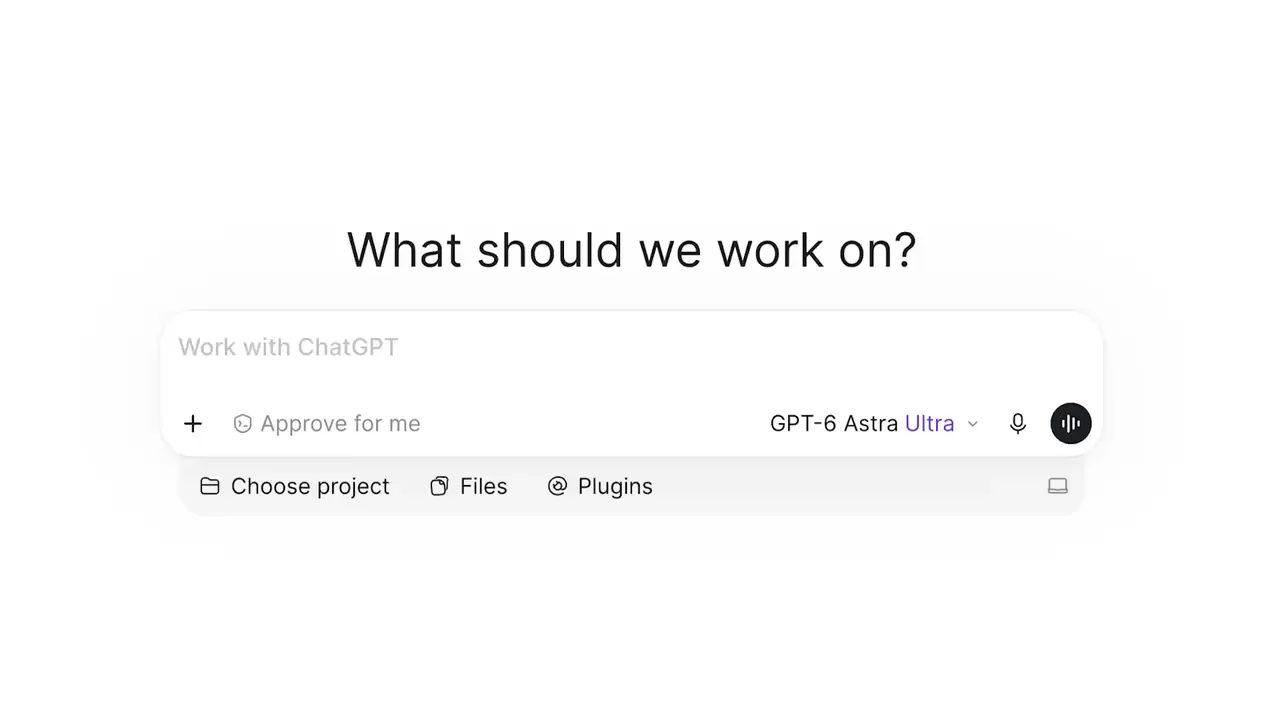
Since October 26, AI agents connected to the Figma MCP server can run Figma Weave tools without leaving the conversation. An agent can list your Weave tools, check their inputs, upload images, video, audio or 3D files, run a tool, track it and cancel it. Runs use Weave credits, and the agent shows the cost and asks for confirmation first. You need a Weave Starter, Pro, Team or Enterprise plan linked to your Figma account. Creating or editing Weave workflows through MCP is not supported yet.
Why it matters: image and video generation moves from a separate app into the place where the brief is written. For marketing and product teams this cuts the hand-off between "describe it" and "render it", but it also hides the cost inside a chat, so the confirm step matters. We use the same generate-then-review loop in our AI content production for 3D renders and product videos.
Source: Figma Weave Help: Running tools from external agents
5. Suno opens music generation to AI chats via MCP
{{video:https://cdn.jsdelivr.net/gh/cosmos-studio/cosmos-digest-media@main/issues/03/suno.mp4}}
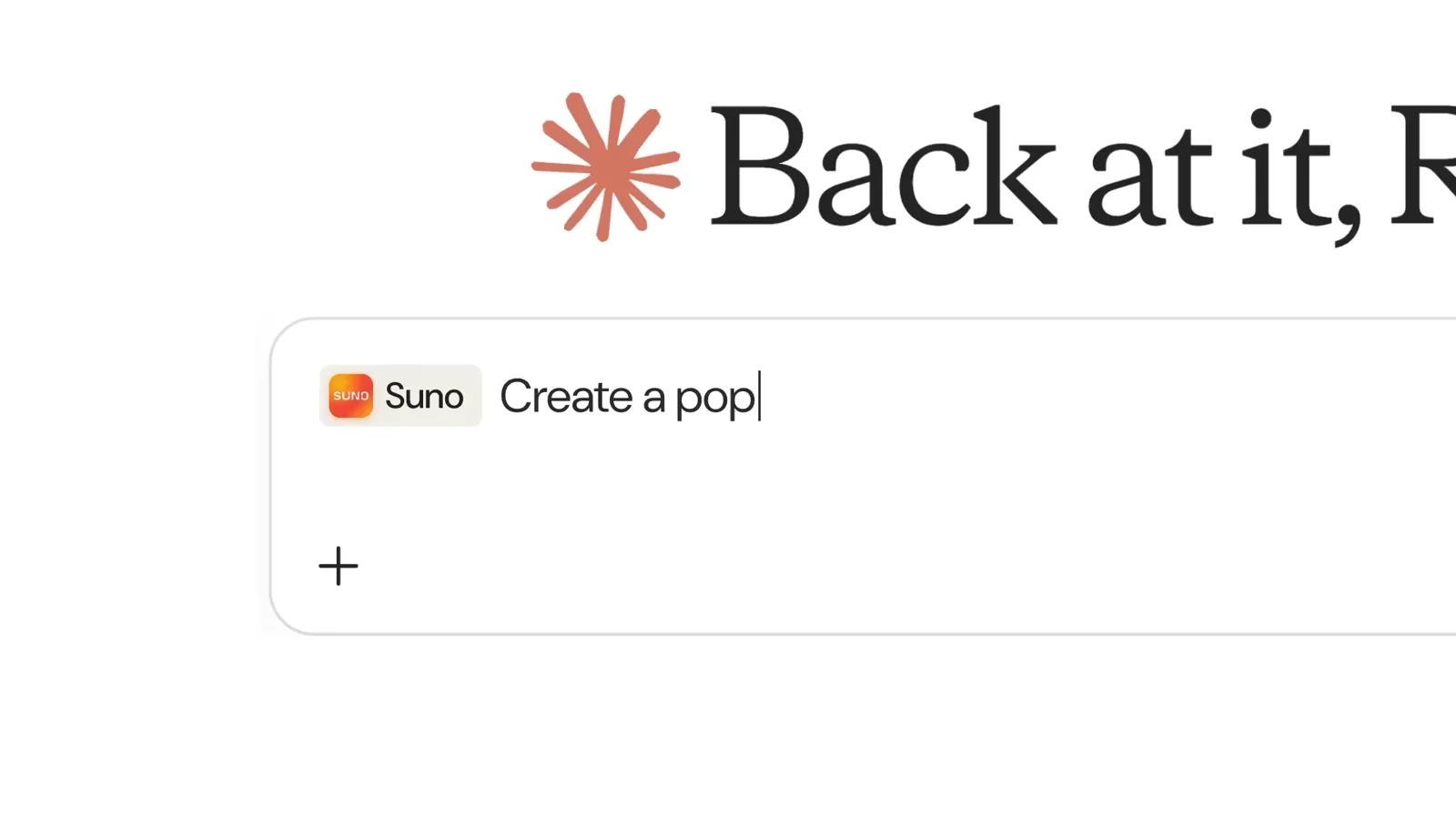
Suno released an MCP connector that works with Claude, ChatGPT, Gemini, Claude Code, Cursor and other clients with custom connector support. From a chat you can create songs from a description, turn voice memos and other audio into full tracks, make covers, mashups and extensions from your library, apply saved Suno Voices and check your remaining credits. You sign in with your Suno account, no API key needed. Songs use the credits of your Suno plan and land in your Suno library. Access goes through an early access sign-up.
Why it matters: Suno, Figma Weave and many others now let other companies' chats call their core actions. For a SaaS product this splits the work in two: actions an agent can run without your screens, and moments where a person still needs your interface, like reviewing, choosing and paying. We help SaaS teams map which flows belong where.
Source: Suno: MCP
6. OpenAI adds monthly API credits to ChatGPT Pro and Business
From October 29, eligible ChatGPT Pro subscribers can claim $100, $200 or $500 a month in API credits depending on their tier. Business workspaces get $20 per Standard seat or $100 per Premium seat, pooled up to $500 per workspace. Credits are claimed in ChatGPT billing settings, expire at the end of the billing cycle and do not roll over. At the same time, reports say the $200 Pro plan's included usage drops from 20x to 10x of Plus at the same price, with Codex and ChatGPT sharing one limit. We could not confirm the 10x figure with OpenAI directly, so treat it as unconfirmed.
Why it matters: subscription limits written as "10x of Plus" are hard to plan around, for OpenAI's users and for anyone who copies this pricing. If your product sells AI usage, show limits in units people can count, like tasks, hours or credits, and warn them before they hit the cap. A pricing page and usage screen are among the first places we check in a UX audit.
Source: OpenAI Developers on X (credits confirmed via OpenAI Developer Community; the Pro limit change is based on press reports)
7. Entire launches a Git forge for agents and humans
Entire, the company led by former GitHub CEO Thomas Dohmke, launched its own Git forge on October 26. Instead of a pull request diff it shows "Trails": custom evals that agents run on every push, with results in the web UI and CLI. "Continuous Memory" syncs agent sessions into the repository; Entire says this saves up to 71% of tokens. Private repositories can be hosted in the US, EU, India or Australia, and Buildkite and Depot handle CI.
Why it matters: when an agent writes hundreds of lines, a reviewer needs to see what was checked, what is left and why the agent chose this solution, not only the diff. Entire bets that review becomes a status screen. The same problem shows up in any product with agents: approvals, task progress and logs are the core of agent UX design.
Source: Entire: The Git forge for agent-human collaboration (details confirmed via DevOps Digest)
8. North Vector Dynamics raises a $20M+ Series A for counter-drone interceptors
Canadian startup North Vector Dynamics closed a Series A of more than $20 million on October 26, at a valuation above $90 million. Tech Horizons led the round, with ONE9, Garage Capital, Czech group CSG, Ripple Ventures, Feld Ventures and Conconi Growth Partners. The company builds the CM-70, a low-cost guided counter-drone interceptor, and will spend the money on manufacturing, supply chain, offices in the US and Europe, and hiring.
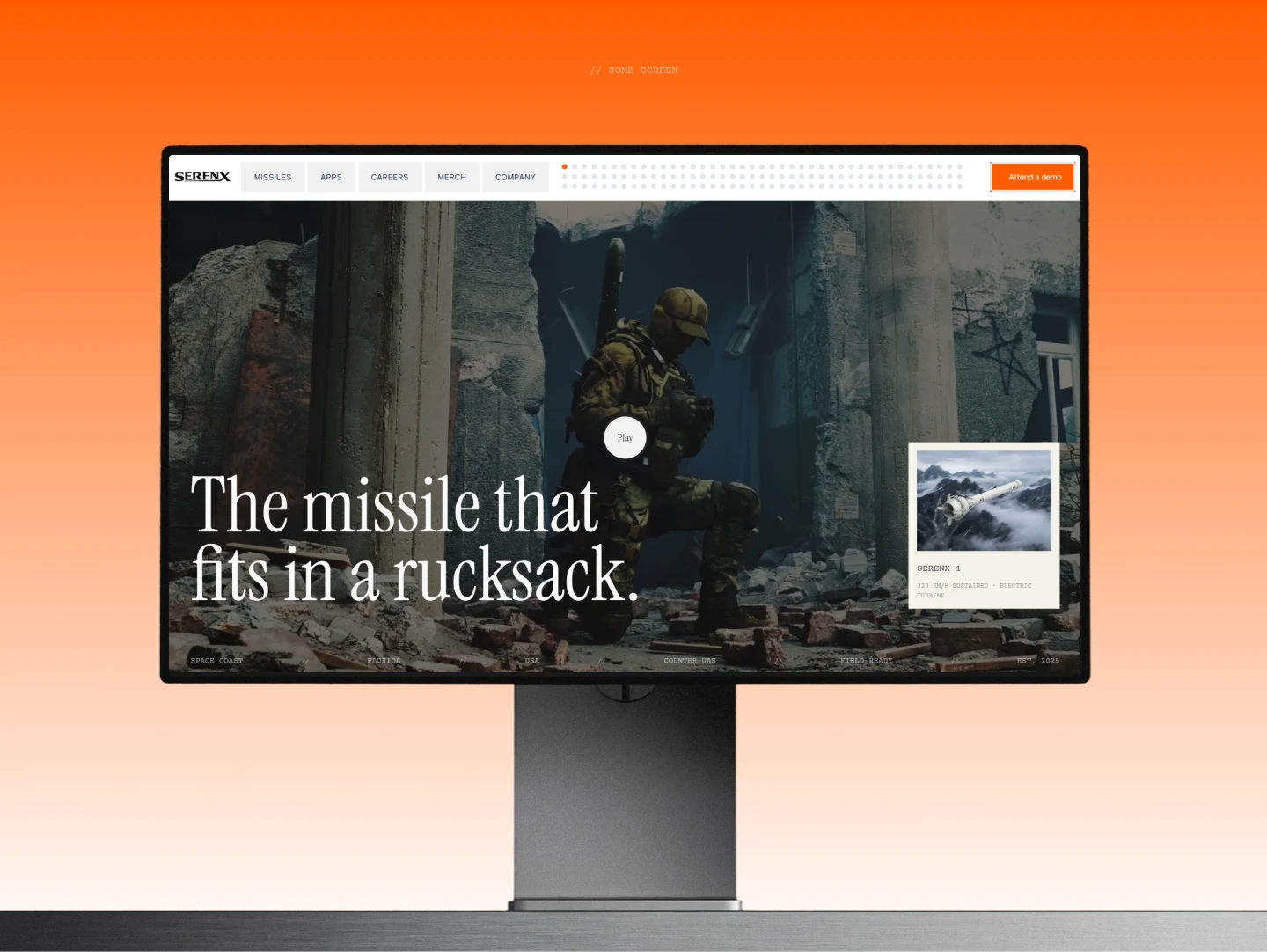
Why it matters: interceptor makers now raise like software startups, and buyers and investors meet them first through a website and a demo. Showing the operator's view early builds trust faster than renders alone. We built the site for SerenX, a maker of autonomous interceptors and C2 software, with UX/UI and React development in five months.
Source: North Vector Dynamics: Series A press release on BNN Bloomberg
{{case}}
Also this week
- Finland's Arctic RAVN secured €2.5 million in convertible loan commitments to scale drone electronics production, starting with electronic speed controllers. Resilience Media
- Google lets US users 18+ build Android apps in Google AI Studio and install them privately on their own phones, without a developer account or a public Play Store listing (announced October 13). Sharing with a small group of friends and family is planned for the coming months. Analytics Insight
- Google Research open-sourced Harness², a research framework where an agent rewrites its own prompts, memory, tools and skills while the model weights stay fixed. GitHub: google-research/harness2
At Cosmos Studio we design AI products and SaaS interfaces, from agent flows to operator consoles. See our work, and if you are adding AI to your product, let's talk.
{{contact}}
FAQ
What is AI & Design Weekly?
A twice-weekly digest by Illia Kulbachnyi and the Cosmos Studio team with the AI and design news that matter to teams building SaaS and AI products.
How do you pick the stories?
We read 30+ design, AI and defense-tech sources and check every claim against the original source. When the original is not reachable, we confirm it through a secondary source and say so under the story.
How should an AI product show model choice and cost to users?
Most users do not need model names. Give them two or three effort levels, show what each costs per task and explain when a request was escalated. We design these flows in AI product projects; book a call to discuss yours.



Related articles
Start your project with Cosmos™
Drop us a message, Anna reviews every brief personally and gets back to you within one business day. From there it's simple: we align on scope, sign the contract, and book your start date. Fast, clear, no back-and-forth.