


A buyer's guide to choosing a UI/UX agency for defense tech: export controls, NDAs, offline and on-prem UX, military symbology, a checklist and red flags.
Key takeaways:
- Start with what you are allowed to share. Export rules and contract security clauses decide how an agency can work with you, so settle them before the first design brief.
- A good defense UX partner designs for stress, night use, weak networks and stale data – not only for a nice demo screen.
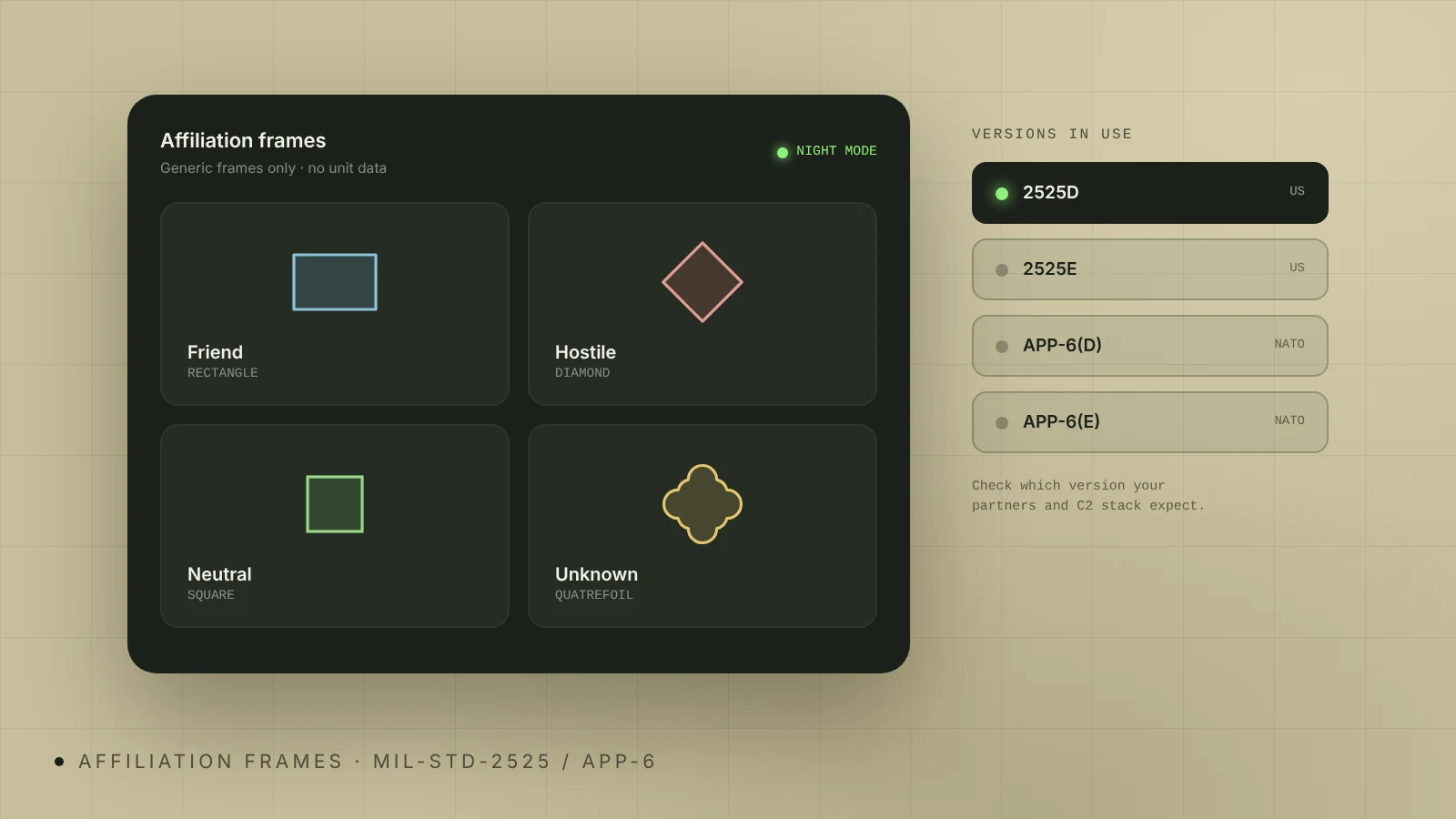
- Ask which MIL-STD-2525 or NATO APP-6 version the agency has worked with. Several versions are in use, and mixing them confuses operators.
- Judge the agency by its process with real operator workflows, not by awards or dark-mode screenshots.
- Use the checklist and the 10 questions below to compare agencies in one call each.
I'm Illia Kulbachnyi, CEO of Cosmos Studio and a member of the Awwwards jury. Defense and dual-use teams – drone makers, C2 and ISR software startups, GEOINT companies – usually ask us the same question first: how do we pick a design partner without creating a security or compliance problem? This guide is my answer, written for founders, product leads and program managers who are about to hire one.
Why is UX design for defense tech different?
Defense software is used under conditions that most SaaS products never see. Operators work long shifts, often at night, with gloves, on rugged laptops or tablets and on networks that drop out. A wrong click or a misread map costs time when time matters most. That is why the US Department of Defense keeps a separate human engineering standard, MIL-STD-1472H, which "establishes general human engineering design criteria for military systems, subsystems, equipment and facilities."
The buyer is different too. Procurement teams, primes and investors read your interface as proof that the product is real. A screen that looks like a startup template makes a serious system look unfinished.
So a defense UX agency has to be good at two things at once: interfaces that operators trust under stress, and a product story that technical, skeptical buyers understand.
What can you legally share with a design agency?
Settle this before you send a single screenshot. I'm not a lawyer, and this is not legal advice – talk to your export compliance counsel. But every buyer should know the basics.
US export controls (ITAR and EAR). Under ITAR, "technical data" includes information required for the design, development, operation, repair or modification of defense articles, and software directly related to them (22 CFR 120.33). ITAR also controls "defense services", which start with "the furnishing of assistance (including training) to foreign persons" in the design, development and use of defense articles (22 CFR 120.32). If your agency or any of its designers count as foreign persons, giving them controlled technical data can require an authorization.
Controlled Unclassified Information (CUI). If you are a DoD contractor, the CMMC rule in the DFARS took effect on November 10, 2025 and phases in over three years. Contractors that handle CUI must protect it according to NIST SP 800-171. Your design partner should not need CUI to do good work, and you should not have to send it.
What this means in practice:
- Separate the work. Most of the interface – layouts, flows, states, design system – can be designed with sample or synthetic data.
- Share only what is public or cleared for release. Real imagery, real coordinates, real unit data and real performance figures stay with your cleared team.
- Put it in writing. The NDA and the statement of work should list what the agency receives, where it is stored and how it is deleted at the end.
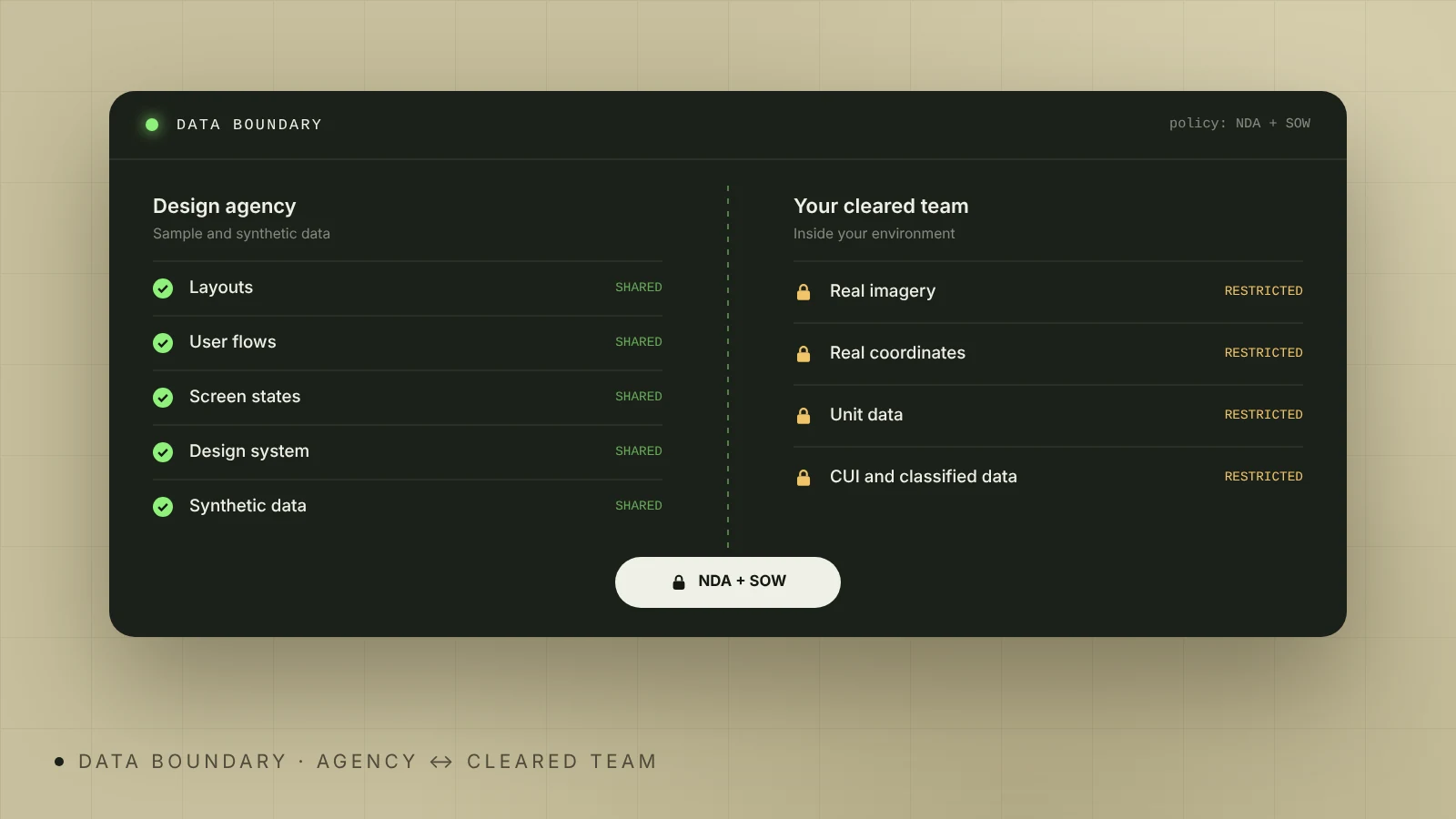
A serious agency will raise these points before you do. At Cosmos Studio we sign an NDA from the first call, do not hold security clearances, work only with material a client is allowed to share and design with synthetic data. Your cleared engineers then connect real data inside your environment.
What should a defense UX agency actually deliver?
Ask for examples of these, not only for beautiful screens:
- Map-first interfaces that keep the common operational picture clean as layers, tracks and alerts pile up.
- Data freshness and offline states. Operators must always see whether data is live, delayed or stale. Old information that looks live is one of the most dangerous UI bugs in this field.
- Alert design. Priorities, grouping and clear acknowledgement, so the screen does not turn into a wall of red.
- Role-based views and handover. An analyst, an operator and a commander need different views of the same picture, and shift handover needs its own flow.
- Day, night and low-light modes that keep contrast and color meaning intact.
- A design system that scales across modules, so the C2 view, the drone view and the admin panel feel like one product.
- Front-end code your engineers can extend, if you need it. Handing over only static mockups slows down integration.
If you also sell to investors and procurement teams, check whether the same team can do the website and pitch visuals. One team keeps the product story consistent. Our defense software UX design and defense tech website design services are built around exactly that.
Why does MIL-STD-2525 and NATO APP-6 experience matter?
Military symbology is a shared language. The US standard MIL-STD-2525 "establishes the rules and requirements to develop and display joint military symbology", and NATO uses APP-6 for the same purpose. Operators read these symbols in a split second, so a designer who draws "nicer" icons for units or tracks can break that reading.
There is also a version problem. Common GIS software supports MIL-STD-2525B, 2525C, 2525D, 2525D with Change 1 and 2525E, plus APP-6(B), APP-6(D) and APP-6(E). If your product works with NATO partners, you may need both families.
Questions to ask:
- Which versions have you designed with, and in which product?
- How do you handle custom symbols the standard does not cover?
- How do you keep symbols readable at small sizes, in night mode and on a busy map?
We design with MIL-STD-2525 and NATO APP-6 symbology and add custom symbols only when the standards do not cover a need. Our closest work is the Bravo1Alpha imagery and geospatial analysis platform – map-heavy, role-based, with MIL-STD-2525 annotations. It is an analysis platform, not a fielded C2 system, and a good agency should be this clear about the limits of its experience.
How do different types of agencies compare?
| Agency type | Defense domain knowledge | Security and data handling | Speed and flexibility | Best for |
|---|---|---|---|---|
| Generalist UX agency | Low – learns your domain on your budget | Standard NDA, rarely used to export rules | Fast, polished visuals | Marketing sites, early pitch demos |
| Defense-focused design studio | Medium to high – has worked with symbology, maps, offline states | NDA from day one, works with synthetic data | Fast, senior team, can also code the front-end | Startups and scale-ups building C2, ISR, C-UAS or GEOINT products |
| Large integrator or prime's in-house human factors team | High | Cleared staff, accredited facilities | Slow to start, long contracts | Programs that need cleared staff and classified data |
| Individual freelancer | Varies widely | Depends on one person | Cheap and flexible, but a single point of failure | Small, well-defined tasks with no sensitive data |
No type is wrong. The question is which risks you can live with. A common setup for startups is the second type for product and website work, with cleared specialists brought in only for the parts that touch classified data.
How to evaluate a defense UX agency: a checklist
Use this list in your first call:
- They ask what you are allowed to share before they ask for files.
- They can show map-heavy, data-dense work, not only landing pages.
- They name the symbology versions they have used.
- They describe offline, delayed and stale-data states without prompting.
- They explain how they learn operator workflows (interviews, observation, your domain experts).
- They check designs against known usability heuristics, such as Nielsen's 10, and accessibility rules for contrast and legibility.
- The people on the call are the people who will do the work.
- They can build the front-end or work closely with your engineers.
- They give a clear scope, timeline and price range after discovery.
- They tell you honestly what they have not done.
What are the red flags?
- "Send us everything." An agency that asks for real operational data on day one does not understand your obligations.
- Dark mode as the main idea. A black background with neon lines is a style, not a solution.
- Custom icons for everything. Redrawing standard symbols for looks is a warning sign.
- No questions about users. If nobody asks who the operator is, where they sit and what they do in a crisis, the design will be built for a demo.
- Overclaiming. "We have built many C2 systems" with no case you can check. Ask for the case and the role they played.
- A sales team you never see again. Ask who exactly will design your product.
10 questions to ask before you sign
- What will you need from us, and what can you design without?
- How do you store, share and delete our files?
- Which defense or dual-use products have you designed, and what was your exact role?
- Which MIL-STD-2525 or APP-6 versions have you used?
- How do you show data freshness and offline states?
- How do you learn our operators' workflows?
- Who is on the team, and how senior are they?
- Can you build the front-end, and in which stack?
- What do the first two weeks look like, and what do we get at the end?
- How do you price the work, and what changes the price?
How we work with defense teams at Cosmos Studio
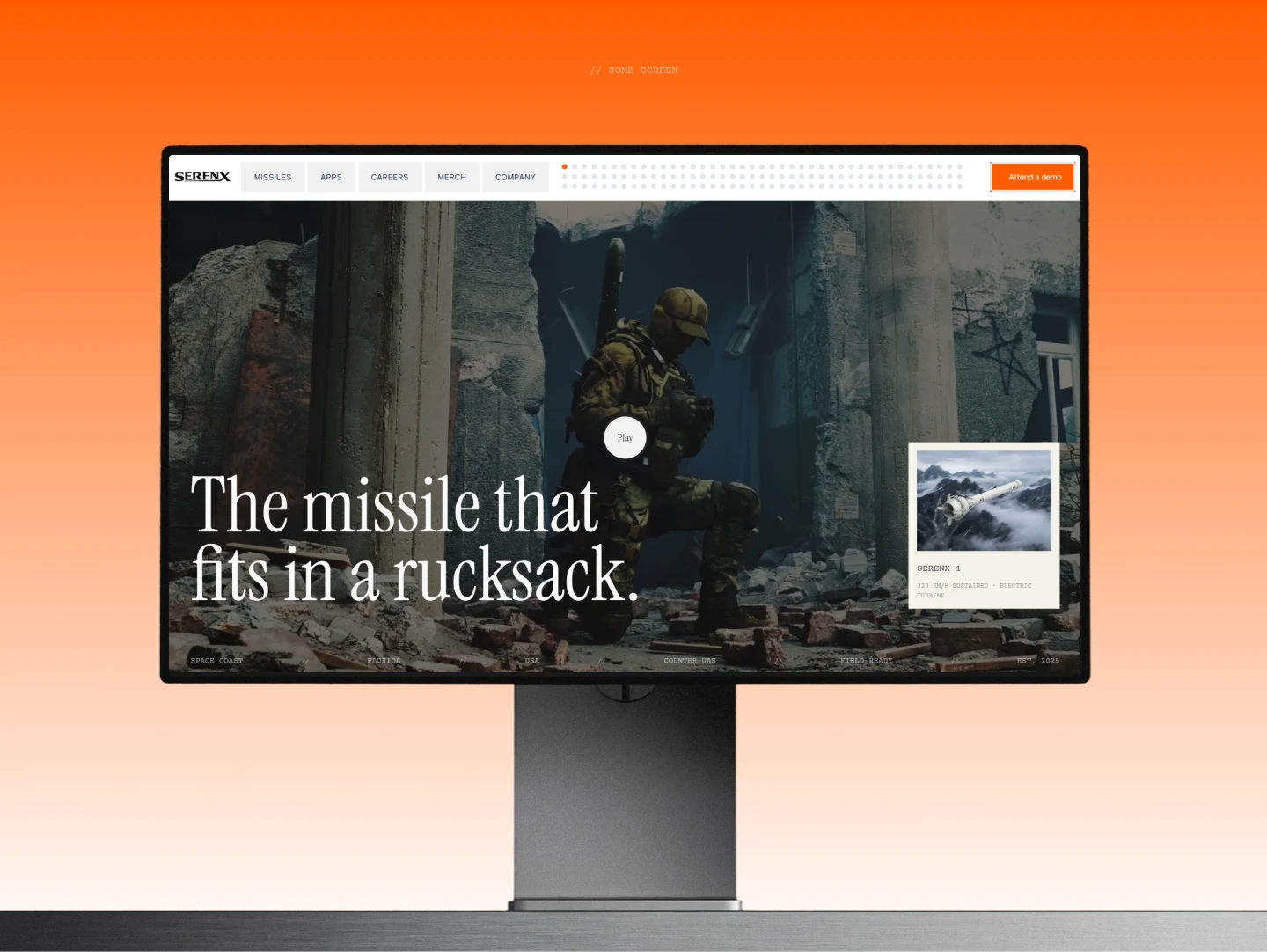
Cosmos Studio is a senior design and front-end team founded in 2018. We have 10 people, all middle and senior level, 500+ projects and 60+ international design awards, including Red Dot, 18 Awwwards, 3 FWA and 25 CSS Design Awards. In defense we designed and built the website for SerenX, a US maker of autonomous interceptors and C2 software – from kickoff on May 8 to launch on October 12 – and the brand, website and analysis platform design for Bravo1Alpha.
Most defense projects start with a UX audit of an existing product or a short discovery of a new one, followed by the most critical workflows and a design system. See our C2 interface design page for what that looks like in practice, or get a quick budget range on our pricing page.
Sources
- eCFR: 22 CFR 120.33 – Technical data (ITAR)
- Cornell LII: 22 CFR 120.32 – Defense service (ITAR)
- Federal Register: DFARS CMMC final rule, effective November 10, 2025
- NIST SP 800-171 Rev. 3: Protecting CUI in Nonfederal Systems
- Joint Chiefs of Staff: MIL-STD-2525D Joint Military Symbology
- Esri ArcGIS AllSource: supported military symbology standards
- EverySpec: MIL-STD-1472H Human Engineering
- Nielsen Norman Group: 10 Usability Heuristics
{{case}}
{{contact}}
FAQ
How do I choose a UX agency for defense software?
Start with data rules: what you can share and under which NDA. Then check real map-heavy, data-dense work, experience with MIL-STD-2525 or APP-6, offline and stale-data states, and whether the people on the call will do the work.
Can a design agency work on a defense product without security clearance?
Yes, for most of the interface. Layouts, flows, states and the design system can be designed with sample or synthetic data. Classified or controlled data stays with your cleared team, which connects it inside your environment.
Do export controls like ITAR apply to UX design work?
They can. ITAR controls technical data and defense services, including assistance to foreign persons in the design and use of defense articles. Ask your export compliance counsel before you share anything that is not public.
Why does military symbology experience matter for UX?
Operators read MIL-STD-2525 and APP-6 symbols in a split second. A designer who changes them for looks, or mixes versions, makes the map harder to read.
Does Cosmos Studio design defense software?
Yes. We design operator interfaces for C2, ISR, GEOINT, counter-UAS and drone products, with React front-end built in-house, under NDA. Our defense work includes SerenX and Bravo1Alpha.
How long does a defense UX project take?
At Cosmos Studio a UX audit takes 1–2 weeks. Designing core workflows usually takes 4–8 weeks, and larger systems are delivered in stages.
Sources



Related articles
Start your project with Cosmos™
Drop us a message, Anna reviews every brief personally and gets back to you within one business day. From there it's simple: we align on scope, sign the contract, and book your start date. Fast, clear, no back-and-forth.