


12 B2B SaaS dashboard design patterns that help users reach value, use more of the product and renew – with a comparison table, checklist and metrics.
Key takeaways:
- In B2B SaaS, the dashboard is where users decide every day whether the product is worth it. If they can't see value there, they stop logging in long before they cancel.
- Pendo found that 80% of features in the average software product are rarely or never used. Many features don't fail because they are bad – users never find them.
- The 12 patterns below cover three moments: the first week, everyday work and renewal time.
- Measure each change with retention and adoption metrics, not with opinions about how the dashboard looks.
- Start with real users: watch them work, then design. Usability testing on prototypes catches problems before they reach code.
I'm Illia Kulbachnyi, CEO of Cosmos Studio and a member of the Awwwards jury. Our team has designed dashboards for B2B platforms in optical retail, manufacturing, procurement and education. One lesson repeats on every project: customers rarely cancel because of one missing feature. They cancel because they stopped seeing value, and the dashboard is where that value should be visible every day. Here are 12 patterns we use to make it visible.
Why does dashboard design affect churn?
Churn has two sources. Voluntary churn happens when a customer decides the product is not worth it. Involuntary churn happens when a payment fails and nobody fixes it. Recurly, a subscription billing company, projects $129 billion "on the table from involuntary churn alone in 2025". Design can help with both.
Voluntary churn usually starts quietly. Users log in less, then only one person on the account logs in, then nobody does. Often the product could solve their problem, but they never found how. In Pendo's 2019 Feature Adoption Report, based on 615 Pendo subscriptions, 80% of features in the average software product were rarely or never used.
A good dashboard fixes that by answering three questions every time a user opens it: what is happening, what needs my attention and what should I do next.
What are the 12 dashboard patterns that keep B2B users?
In the first week: get users to value fast
1. Role-based home views. A sales manager, a store employee and an admin don't need the same screen. Give each role its own default view with the three to five things that matter to that role. Everything else stays one click away.
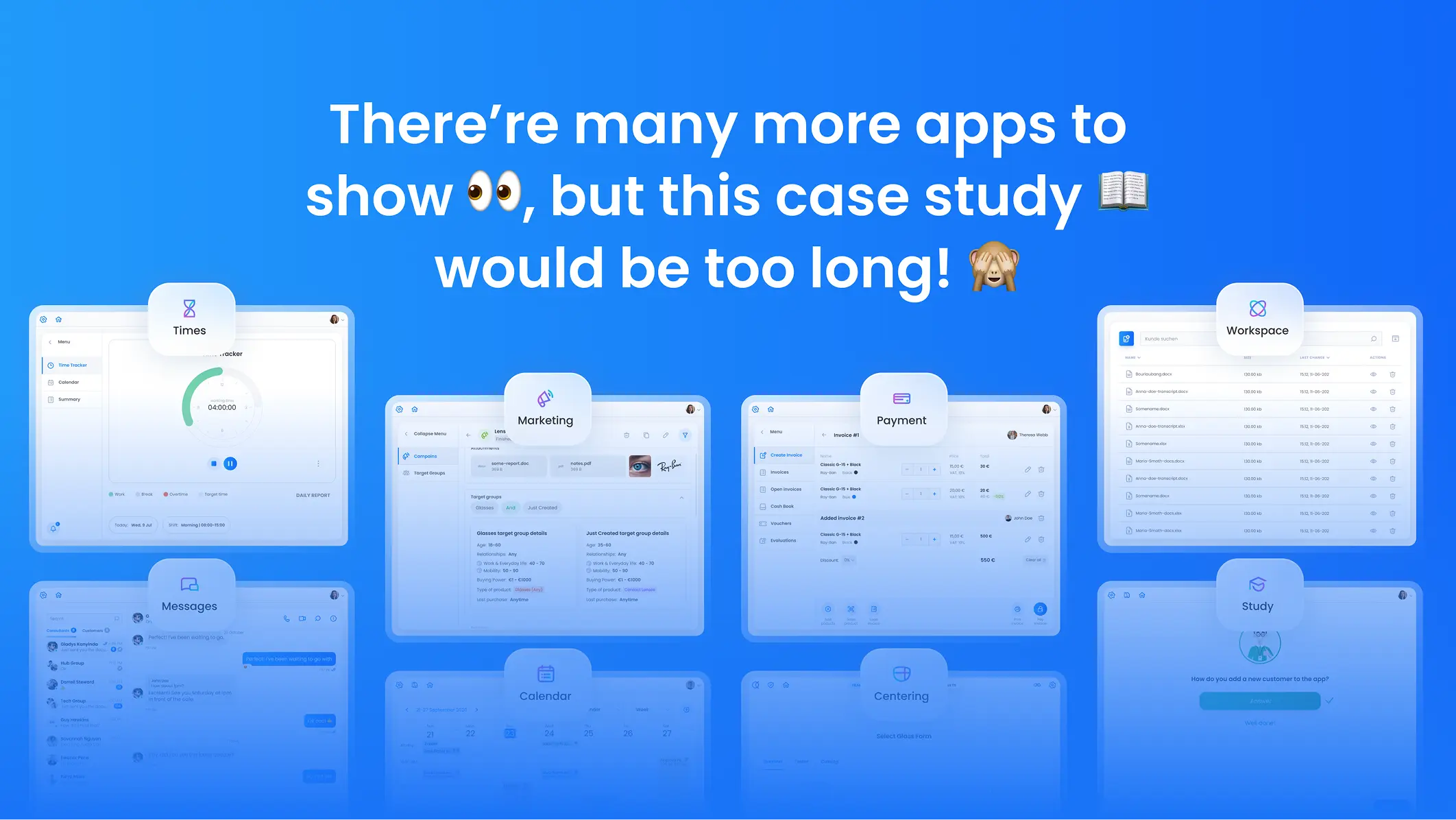
For Umami View, a B2B SaaS platform for opticians, we brought consultants, customers, stores and administrators into one workspace, so staff can finish daily tasks without switching between tools.
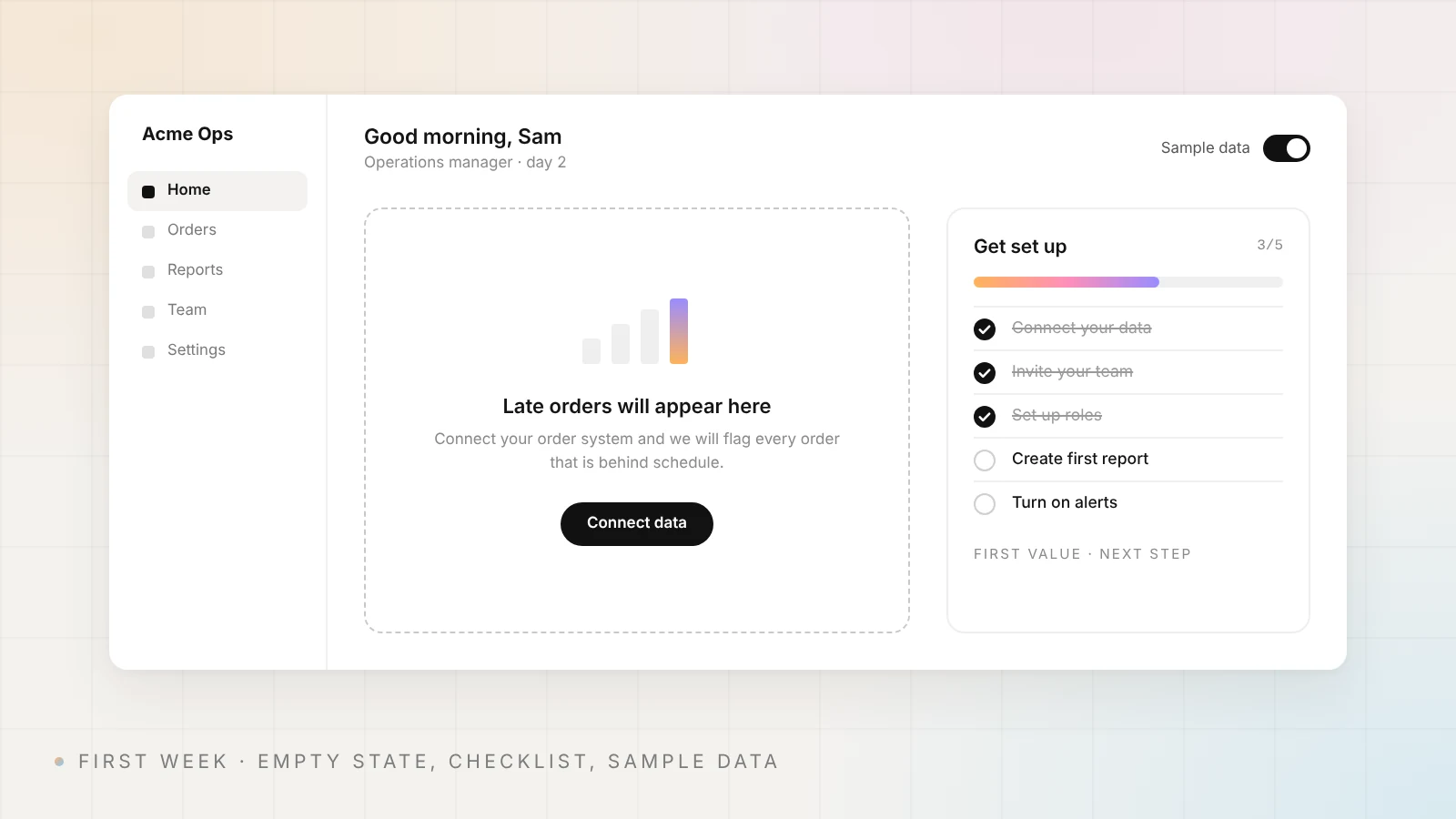
2. Empty states that teach. A new account sees empty widgets. Nielsen Norman Group warns that "totally empty states cause confusion about how and whether the system is working". Use the empty space to explain what will appear there and add a button that starts the task that fills it.
3. A setup checklist with progress. Show the few steps that lead to the first real result – connect data, invite the team, create the first report – and how far the account has come. Hide the checklist once it is done.
4. Sample data mode. Let users explore a filled dashboard with clearly marked sample data before their own data arrives. It shows the value before the setup work is finished.
In everyday work: make the dashboard worth opening
5. One question per widget. Each card should answer one question, such as "Which orders are late?". Put the key number on top and details behind a click. This is progressive disclosure, which Jakob Nielsen describes as deferring "advanced or rarely used features to a secondary screen".
6. Bars and lines, not pies. Nielsen Norman Group recommends using "length and 2D position to communicate quantitative information quickly" and calls pie charts "notoriously poor at most information-communication tasks". Use bar charts for comparisons and line charts for trends.
7. Status you can read without color. Red and green dots alone fail users with color blindness and tired eyes on bright screens. WCAG 2.2 success criterion 1.4.1 says color must not be "the only visual means of conveying information". Add a label, icon or shape to every status.
8. Tables built for real tasks. In most B2B products the real work happens in tables. Nielsen Norman Group lists four tasks a table must support: find records, compare data, view or edit one row, and take action on records. In practice that means frozen headers, quick filters that show when they are on, and bulk actions.
For Ply, a procurement platform for mechanical contractors, we designed clear statuses and structured stages for requests, plus custom table views, so teams coordinate with suppliers faster.
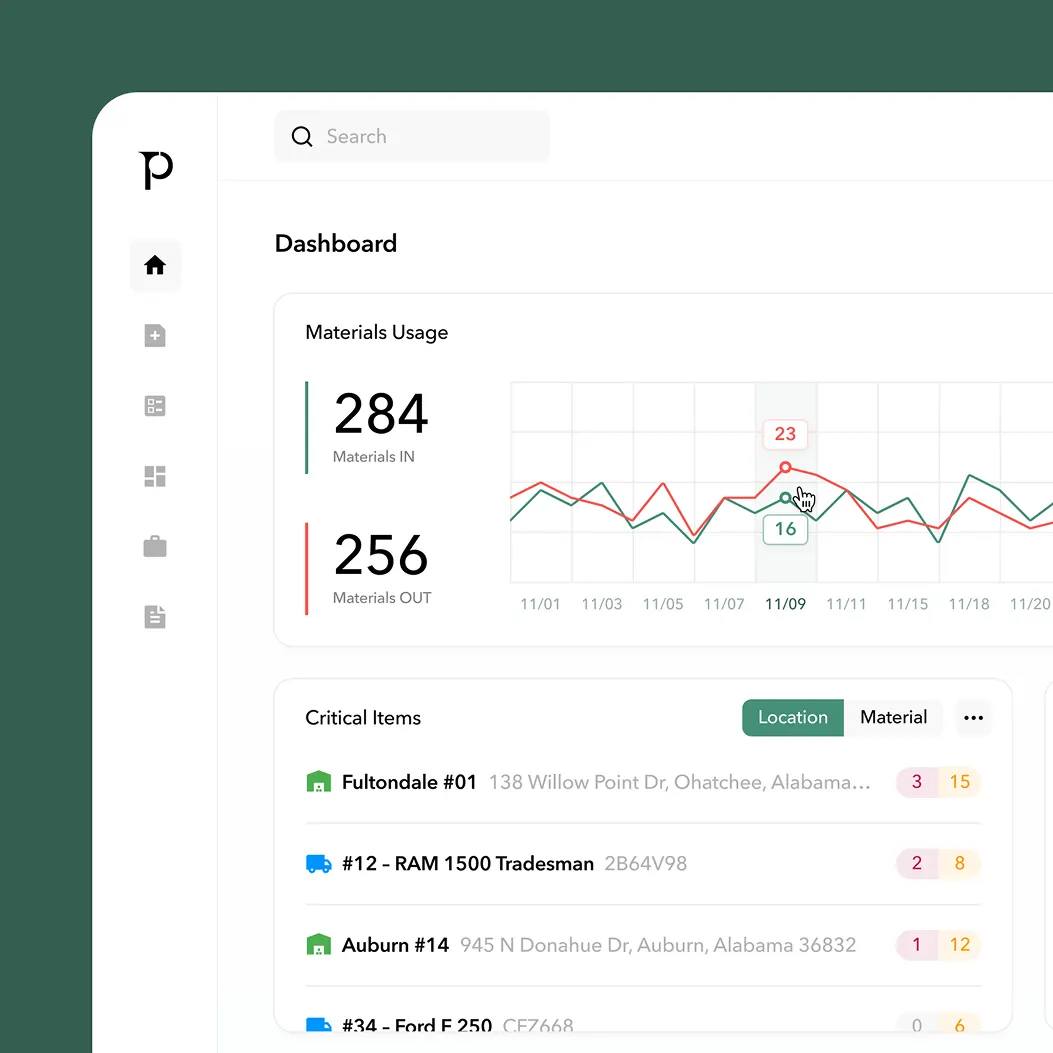
9. Exceptions first. Most users open a dashboard to find what went wrong. Put risks, overdue items and changes since the last visit at the top, and let normal items fade into the background.
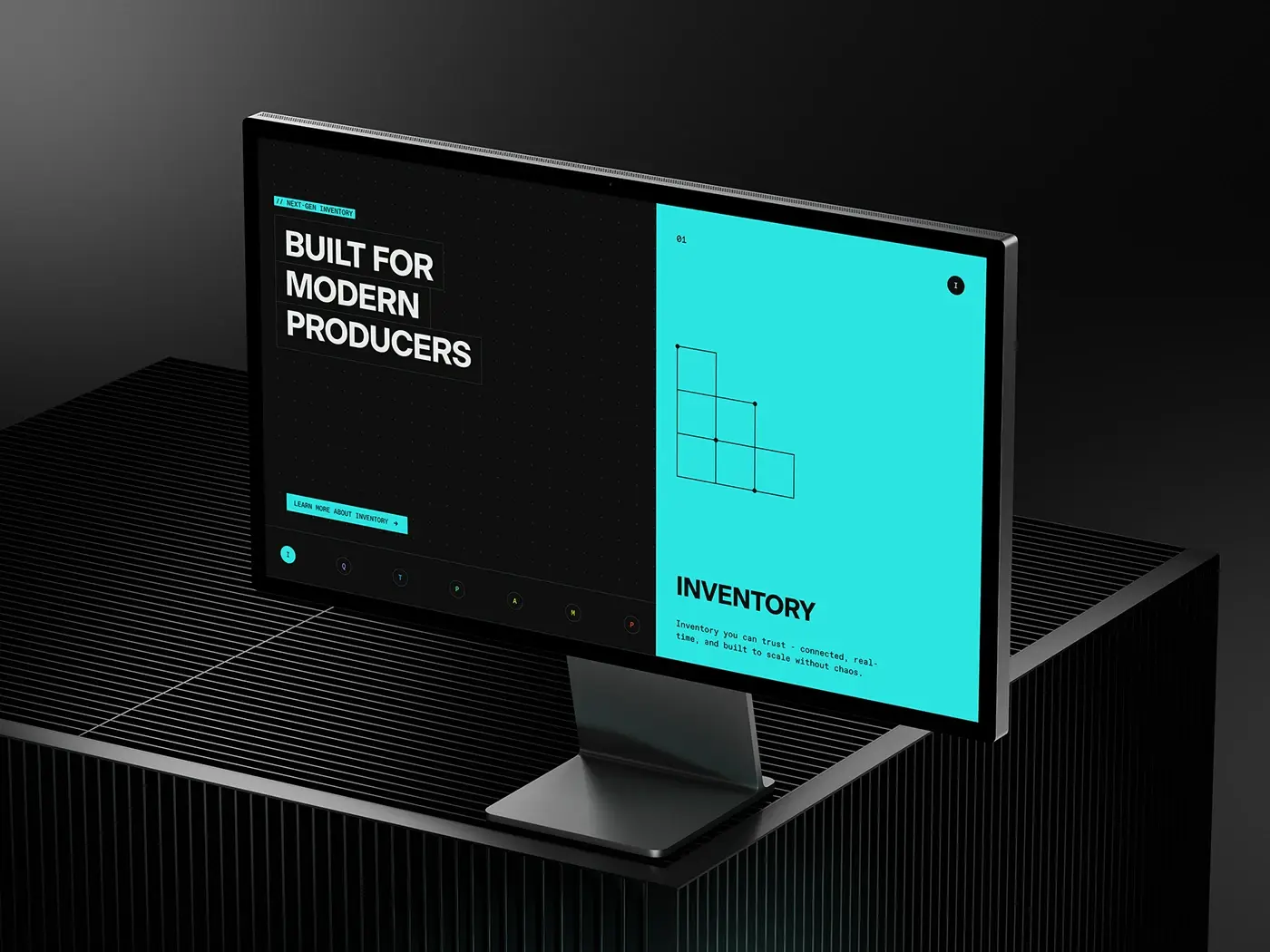
For Elevated Signals, a manufacturing platform for regulated industries, we built the interface around a strong data hierarchy, so users can read production status, spot risks and track key metrics quickly.
At renewal time: show the value and remove friction
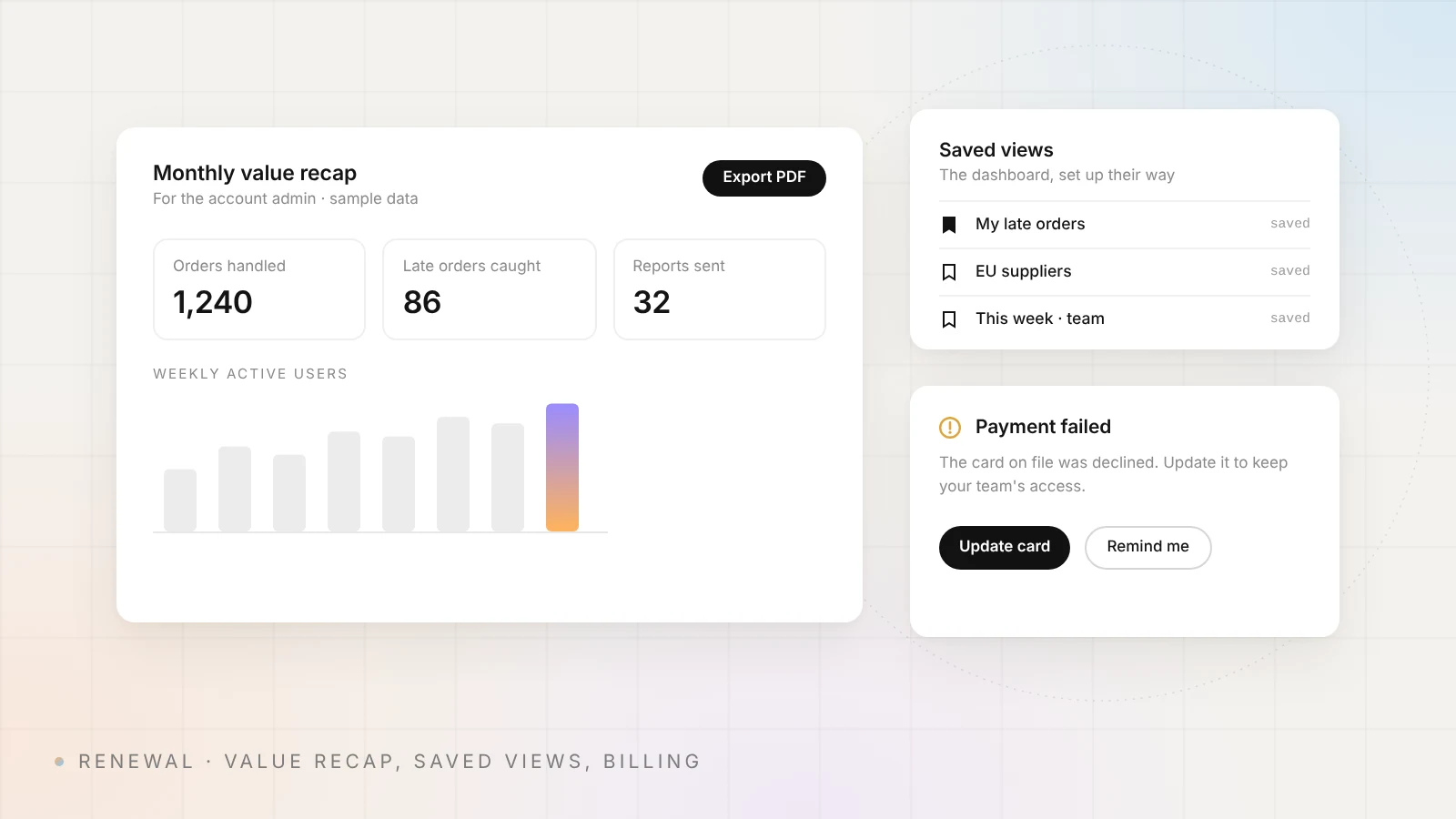
10. Saved views. When users save their own filters, columns and layouts, the dashboard becomes their tool. Saved views are also a useful sign of engagement for your customer success team.
11. A value recap for the buyer. The person who renews the contract often isn't the daily user. Give admins a simple monthly summary of what the team did in the product – tasks done, reports sent, issues solved – that they can export and forward.
12. Billing problems inside the product. A failed card shouldn't end an account silently. Show a clear banner to the admin with one button to update the payment method, and keep the account usable for a grace period you choose.
Which churn problem does each pattern solve?
| Pattern | Churn problem it addresses | Metric to watch |
|---|---|---|
| 1. Role-based home views | Users see noise, not their work | Weekly active users per role |
| 2–4. Empty states, checklist, sample data | New accounts never reach first value | Activation rate, time to first value |
| 5–6. One question per widget, bars and lines | Users can't read the data quickly | Time on task, support tickets |
| 7. Status without color | Missed alerts, accessibility complaints | Accessibility audit results |
| 8. Tables built for tasks | Daily work is slow, users export to Excel | Task completion time, exports |
| 9. Exceptions first | Users miss problems the product could catch | Alerts opened and resolved |
| 10. Saved views | Product doesn't fit how teams work | Accounts with saved views |
| 11. Value recap | The buyer doesn't see the value | Renewal rate, recap opens |
| 12. Billing problems inside the product | Failed payments end active accounts | Recovered failed payments |
How do you know a dashboard redesign worked?
Pick the metric before you design. Compare retention cohorts before and after the release, the share of accounts that reach first value in their first week, and adoption of the features you moved onto the dashboard. Pair the numbers with a few calls or usability sessions: the data shows where users drop, and real users show why.
B2B SaaS dashboard design checklist
- Each role has a default view with three to five key items.
- Every widget answers one clear question.
- Empty states explain what will appear and start the task.
- New accounts see a setup checklist with progress.
- Charts use bars and lines for comparisons and trends.
- No status relies on color alone.
- Tables have frozen headers, visible filters and bulk actions.
- Risks and changes since the last visit are shown first.
- Users can save their own views.
- Admins get a value recap they can export.
- Failed payments show an in-product banner with one fix button.
- Every change has a metric and a date to check it.
How Cosmos Studio designs SaaS dashboards
Cosmos Studio is a 10-person senior design and development team founded in 2018, with 500+ projects and 60+ international design awards. We design SaaS products for teams in Europe and the US. Our process:
- Discovery and data. We start with your churn and adoption numbers and the roles that use the product.
- Customer interviews. We talk to real users, or give your team the questions.
- Concepts and coded prototypes. Several dashboard concepts, then interactive prototypes of the best one.
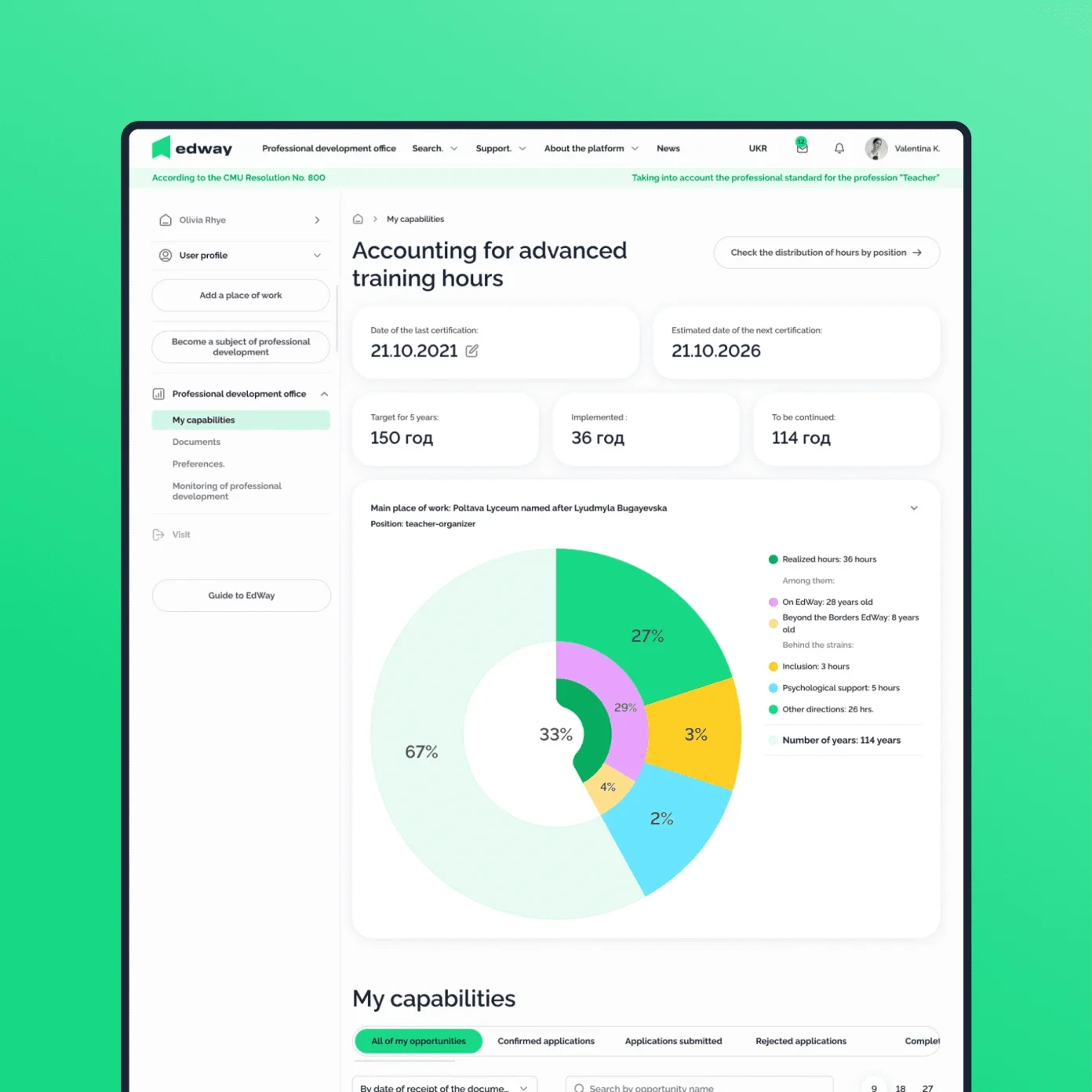
- Usability testing with real users. We test the prototypes before development. For EdWay, a national EdTech platform, we ran in-depth interviews and user testing, then tested product hypotheses with interactive prototypes – seven of eight were confirmed and implemented.
- Design system, front end and documentation. The same designers build the front end in-house, and we hand over detailed documentation and run workshops with your team. Backend work goes to senior partners.
Projects start at $5,000, with rates from $50 per hour. If you already have a product, a UX audit from $2,000 shows in 1–2 weeks where your dashboard loses users. See our SaaS UX design page, or get an instant range with the pricing calculator.
Sources
- Pendo: The 2019 Feature Adoption Report
- Recurly: Failed payments could cost subscription companies more than $129 billion in 2025
- Nielsen Norman Group: Designing Empty States in Complex Applications
- Nielsen Norman Group: Progressive Disclosure
- Nielsen Norman Group: Dashboards – Making Charts and Graphs Easier to Understand
- Nielsen Norman Group: Data Tables – Four Major User Tasks
- W3C: Understanding WCAG 2.2 Success Criterion 1.4.1 Use of Color
{{case}}
{{contact}}
FAQ
What makes a good B2B SaaS dashboard?
It shows each role what is happening, what needs attention and what to do next. Every widget answers one question, the most important information comes first, and details are one click away.
How can dashboard design reduce churn?
It helps users reach value faster, find features they would otherwise miss and see the results the product delivers. It can also catch failed payments before they end an account.
What should be on a SaaS dashboard?
The key numbers for the user's role, items that need attention, recent changes and quick actions. Leave out anything that doesn't lead to a decision or an action.
Should B2B dashboards use pie charts?
Rarely. Nielsen Norman Group notes that people compare lengths and positions much more accurately than angles and areas, so bar and line charts usually work better.
How long does a SaaS dashboard redesign take?
At Cosmos Studio a typical product design project takes 4–8 weeks. A UX audit of an existing dashboard takes 1–2 weeks. Larger platforms are delivered in stages.
Do you test dashboard designs with real users?
Yes. We run usability tests with real users on interactive prototypes before development, as we did for EdWay.
Sources


%2520(1).webp)

Related articles
Start your project with Cosmos™
Drop us a message, Anna reviews every brief personally and gets back to you within one business day. From there it's simple: we align on scope, sign the contract, and book your start date. Fast, clear, no back-and-forth.