


UX audit cost in 2026: prices from $500 to $60,000+, what changes the price, what a good report includes and how to prepare. A practical guide by Cosmos Studio.
Key takeaways:
- In 2026, a UX audit costs from about $500 for a basic heuristic review to $8,000–25,000 for a full agency audit with user testing; NN/g starts at $60,000.
- Price depends on key flows, user roles, devices, data access and whether user interviews or a code review are included.
- A useful report ranks every finding by severity, impact and effort and ends with a roadmap, an estimate for fixes and a re-check after they ship.
- Prepare the NDA, analytics, CRM and test accounts before kickoff, because waiting for access slows most audits.
A UX audit costs from about $500 for a quick heuristic review by a junior freelancer to $8,000–25,000 for a full agency audit with user testing. Nielsen Norman Group's expert review starts at $60,000. At Cosmos Studio, a UX audit starts from $2,000 and takes from a few days for a website to 1–2 weeks for a product.
I'm Illia Kulbachnyi, CEO of Cosmos Studio. Below are 2026 prices from providers that publish them, what changes the price, what a good audit report contains and how to prepare so you don't pay for a week of waiting for access.
UX audit cost in 2026: prices by provider
Most studios don't publish prices. The ones that do are mostly agencies that sell audits, so treat their ranges as list prices, not market averages. All figures below come from each provider's own page, checked on November 2, 2026.
| Option | Price | Time | What you get | Source |
|---|---|---|---|---|
| AI audit tool | $9–30 a month | Self-serve | Automatic checks of screens, no business context | Orbix Studio |
| Heuristic review only | $500–2,000 | 3–5 days | Issue list against usability heuristics | Design Studio UIUX |
| Cosmos Studio UX audit | From $2,000 | A few days – 2 weeks | Review on all devices, analytics, user and support input, report ranked by impact and effort, estimate for fixes | Cosmos Studio |
| Flow audit (2–4 flows) | $3,000–8,000 | 2–3 weeks | Annotated screens, severity ratings, order of fixes | Orbix Studio |
| Fixed-price product audit | $6,599 | 2–3 weeks | Severity and impact per issue, roadmap, live walkthrough | Eleken |
| Full SaaS audit | $10,000–25,000 | 2–4 weeks | Several roles and integrations, 100–200 hours of expert time | Merge |
| NN/g expert design review | From $60,000 | Not published | Review by a senior NN/g researcher, severity-rated report or deck | Nielsen Norman Group |
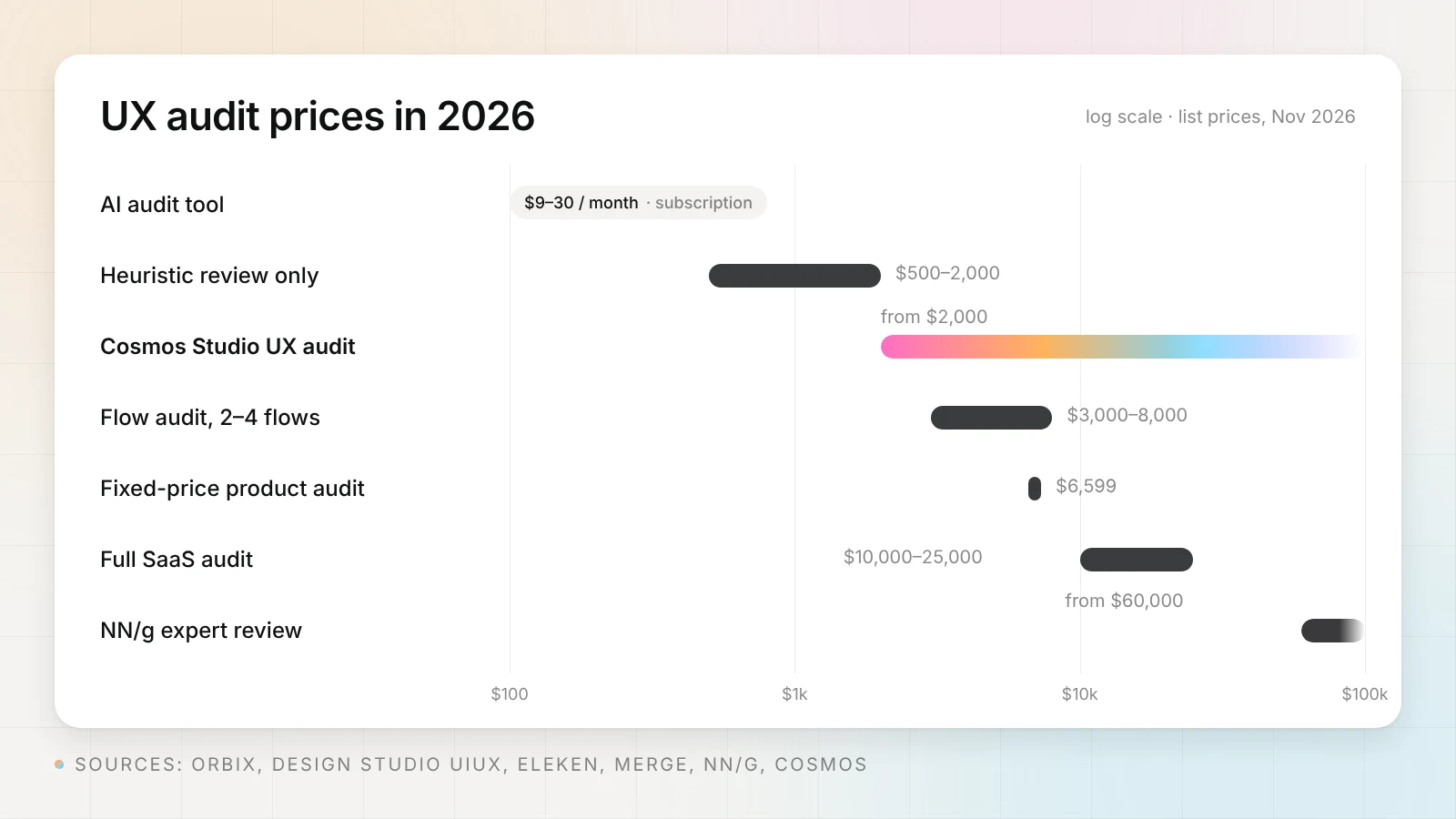
The spread is wide because these are different products under one name. A $500 review is one person checking screens against a list. A $20,000 audit adds analytics, interviews, testing with users and a workshop. Compare what is inside, not the price line.
For context on hourly rates, Clutch reports that design agencies in the United States typically charge $100–149 per hour, agencies in Poland and Spain $50–99, and agencies in Ukraine and India $25–49 (Clutch pricing guide). Cosmos Studio works from $50 per hour.
What drives the price of a UX audit?
The number of screens matters less than people think. Price follows the amount of work needed to understand how the product makes or loses money. These are the factors we scope before we send an estimate:
- Key flows. Sign-up, onboarding, checkout, the core daily task. Each flow is a separate path to walk, measure and fix.
- User roles. An admin, a manager and an end user see different products. Design Studio UIUX estimates that each extra role adds 30–50% to audit time.
- Devices and platforms. Desktop, tablet, phone, native app. We check all of them, because a product can work well on one and break on another.
- Data access. Analytics, heatmaps, session recordings, the CRM, support tickets. More data means a sharper report and a few more hours.
- Talking to users. Interviews or usability tests with real customers. Design Studio UIUX prices testing at an extra $2,000–6,000.
- Development and security. If the audit also covers code, servers or security, a developer joins the team.
- Accessibility for specific users. A check against WCAG for people with color vision deficiency or low vision, on request.
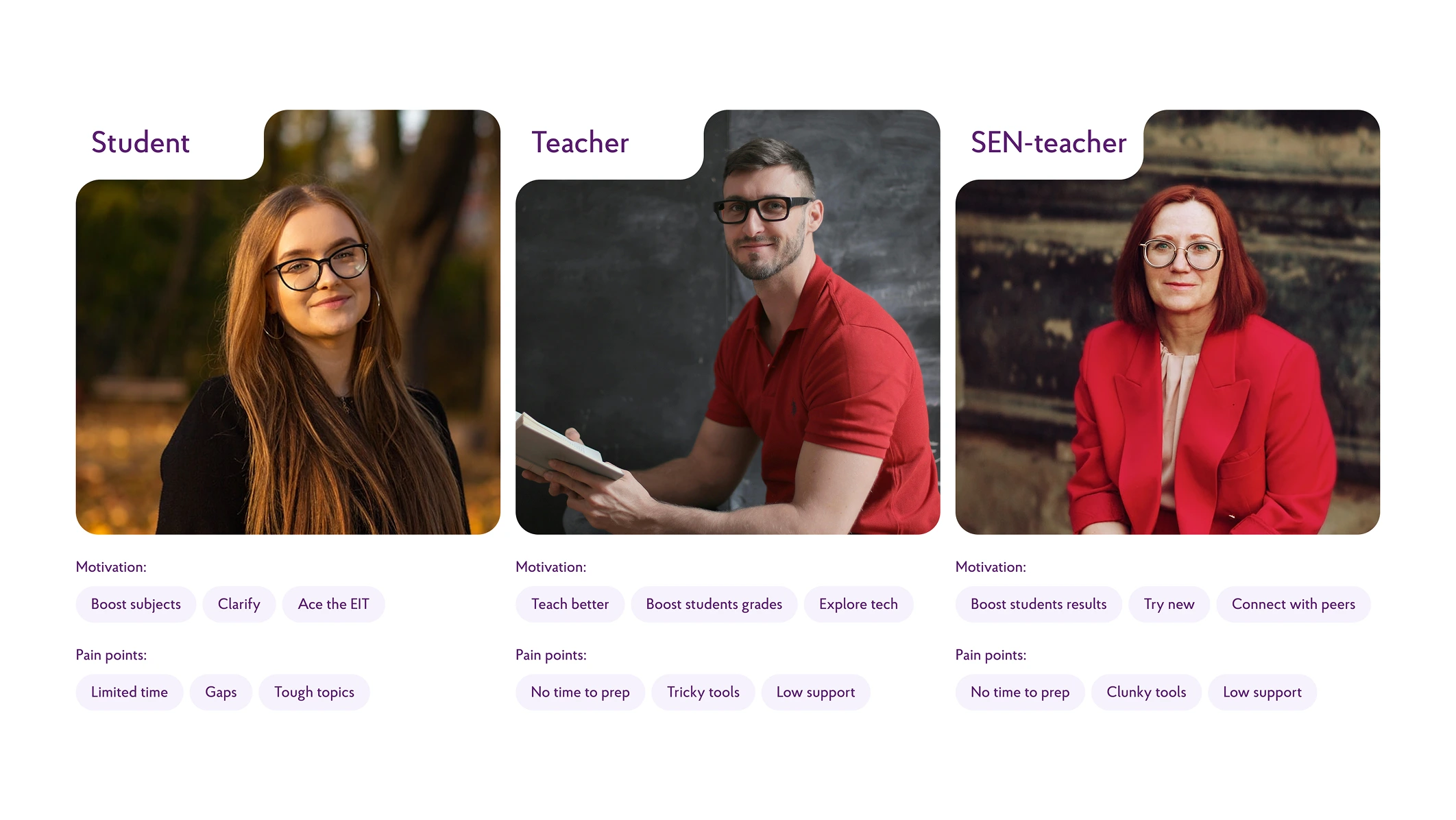
Roles multiply the work more than screens do. Povir, a state-backed EdTech platform we designed, has three roles: students, teachers and SEN teachers. Each role got its own interaction logic, tools and user flow through the information architecture, and an audit of a product like this has to walk every one of them.
How long does a UX audit take?
At Cosmos Studio, an audit takes from a few days for a website to 1–2 weeks for a product with several roles. Modern AI tools make the review faster: we spend less time collecting screens and data and more time on what to change.
Other providers quote longer cycles. Merge says most full audits run 2–4 weeks, and 3–5 weeks for platforms with five or more flows. Design Studio UIUX gives 3–5 days for a heuristic review, 1–2 weeks for a focused flow, 2–4 weeks for a full product and 4–8 weeks for enterprise. The longest part is often outside the audit itself: waiting for access to analytics and admin panels.
What we check in a UX audit
An audit works best when an independent team does it. People who built the product know how it should work, so they stop seeing where it doesn't. We start from the surface and go deeper.
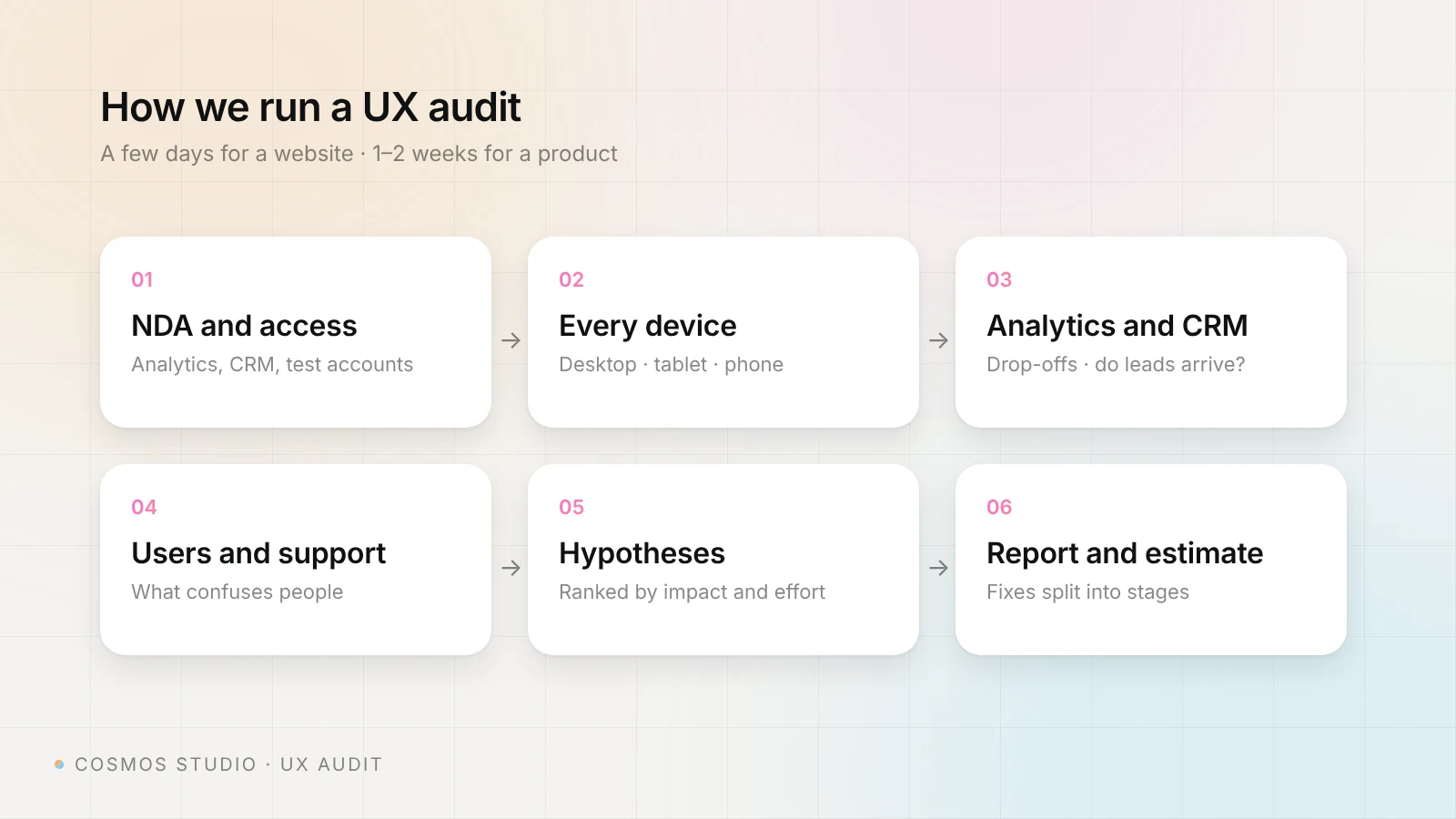
- Surface and forms. Errors, broken states, every form and what happens after you press Submit.
- Every device. We open the site or app on desktop, tablet and phone. Clients often test only on their own phone, and the desktop or tablet version works much worse.
- Analytics. Google Analytics and other connected services: where people drop off, which pages and steps lose them.
- The CRM. We check that leads from forms actually arrive. A form that looks fine but loses requests costs more than any layout issue.
- Users and support. We talk to our client's customers, or get input from the support team: what users don't understand and what they ask about most.
- Hypotheses. From all of this we write a set of hypotheses that improve usability and conversion, each with a reason from the data.
Who does the work depends on scope. For a website, a designer and an art director run the audit together. When it also covers development, servers or security, our developer and team lead join.
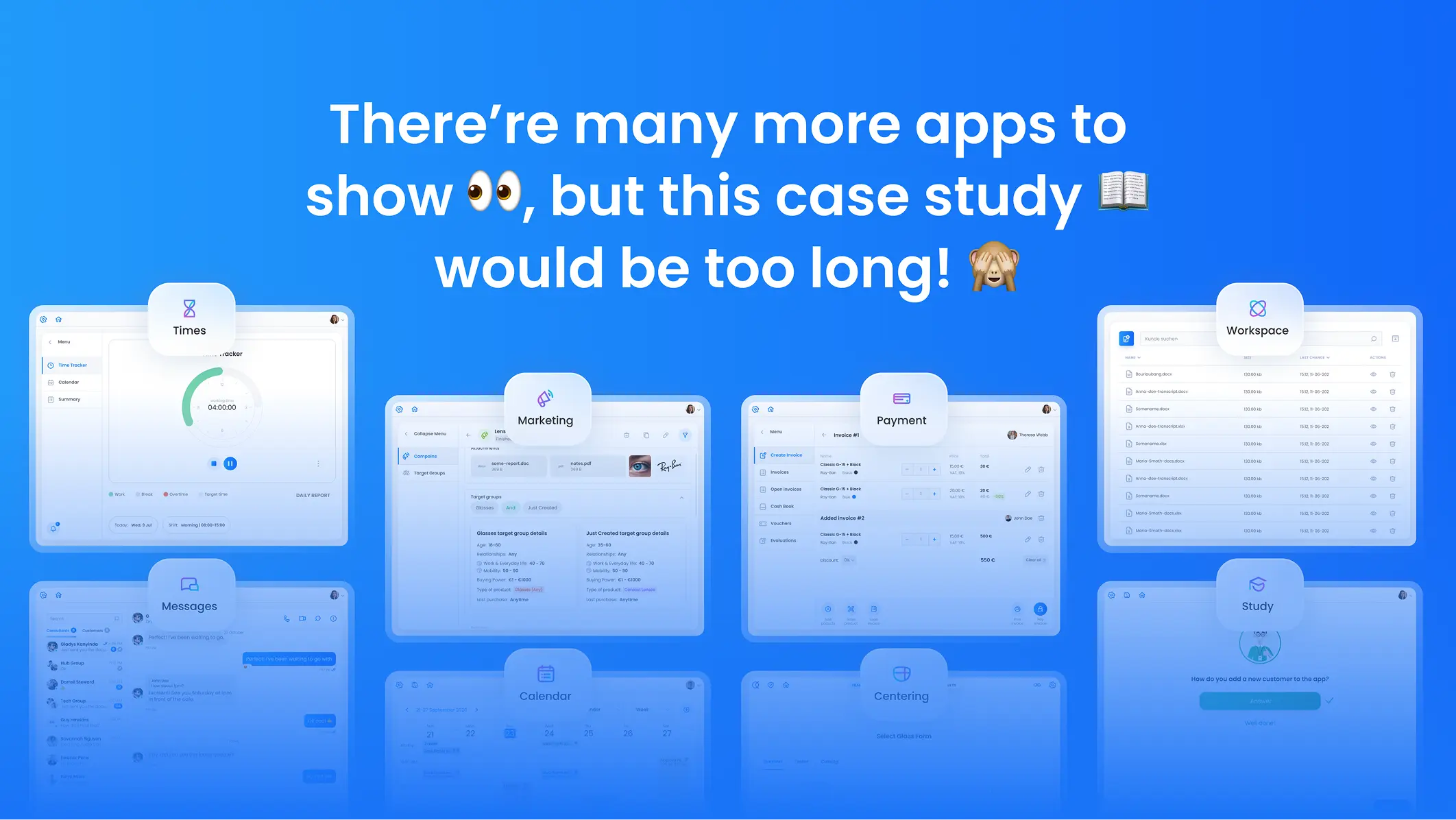
Support requests often point straight at the problem. When Umami View, a B2B SaaS platform for opticians, came to us, account activation was complicated, the support team received too many requests and user groups struggled to work together. We rebuilt the UX architecture into one workspace for consultants, customers, stores and administrators, with a modular design system and 19 connected apps.
Illia's take: Clients often live inside their product and see it with bias. Some don't talk to their own customers at all. We look from the outside and give a sober assessment of what works and what doesn't, based on our hypotheses and on objective data: analytics and customer feedback.
Accessibility audit for specific user groups
On request, we audit a product for specific groups of users, for example people who don't distinguish colors well. We check it against international standards: can they read the text, can they make it bigger, do colors and contrast still work. You can order it as part of a UX audit or as a separate accessibility audit.
This group is larger than most teams assume. About 1 in 12 men and 1 in 200 women have color vision deficiency, according to Colour Blind Awareness. The WHO counts at least 2.2 billion people with near or distance vision impairment. And most sites fail the basics: the WebAIM Million 2026 report found detected WCAG failures on 95.9% of the top one million home pages, and low-contrast text on 83.9%.
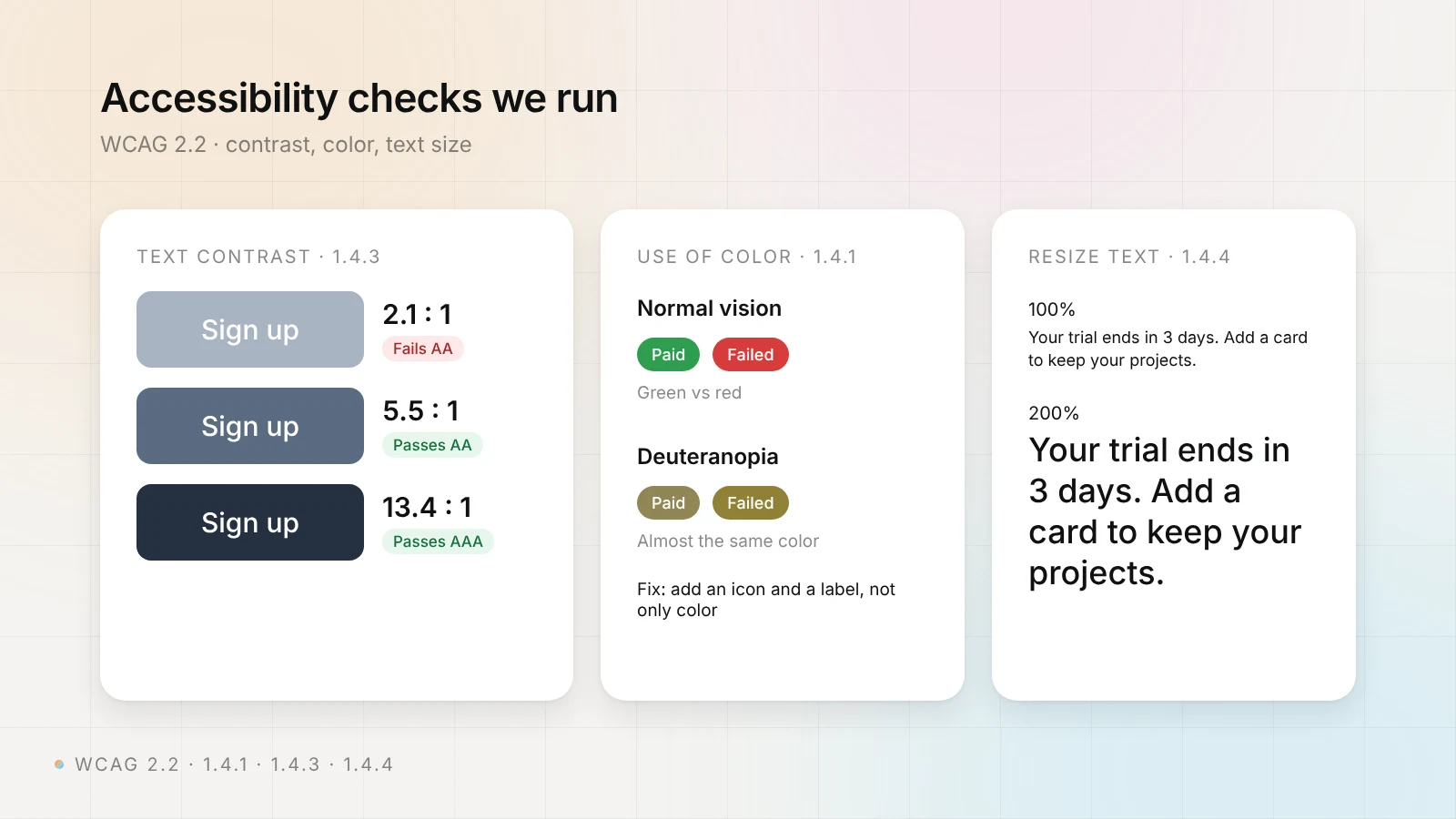
The standard is WCAG 2.2, a W3C Recommendation since October 5, 2023 and approved as ISO/IEC 40500:2025. These are the success criteria we check most often in a visual accessibility review:
| What we check | WCAG 2.2 criterion | Pass condition |
|---|---|---|
| Color is not the only signal | 1.4.1 Use of Color (A) | Errors, statuses and links also have text, an icon or an underline |
| Text contrast | 1.4.3 Contrast (Minimum) (AA) | 4.5:1 for normal text, 3:1 for large text (18 pt, or 14 pt bold) |
| Text can be enlarged | 1.4.4 Resize Text (AA) | Text zooms to 200% without lost content or features |
| Layout at high zoom | 1.4.10 Reflow (AA) | No horizontal scrolling at a width of 320 CSS px |
| Buttons, inputs, icons | 1.4.11 Non-text Contrast (AA) | 3:1 against neighboring colors |
| Text spacing | 1.4.12 Text Spacing (AA) | Nothing breaks at line height 1.5× and letter spacing 0.12× |
| Tap targets | 2.5.8 Target Size (Minimum) (AA, new in 2.2) | At least 24×24 CSS px, or enough space around |
| Keyboard focus is visible | 2.4.11 Focus Not Obscured (Minimum) (AA, new in 2.2) | Sticky headers or banners don't hide the focused element |
To see the product the way these users do, we use simulators such as the vision deficiency emulation in Chrome DevTools (protanopia, deuteranopia, tritanopia, achromatopsia, blurred vision) and measure every color pair with a contrast checker. Then we propose fixes that keep the brand: darker shades of the same colors, icons and labels next to color-coded statuses, larger tap targets.
Accessibility is also about the conditions people use a product in. For TALIS, the OECD survey of teachers, we designed and built a bilingual platform with support for low-bandwidth connections and clear data visualizations, so survey results stay readable for teachers and a wide audience.
There is a legal reason too. The European Accessibility Act has applied since June 28, 2025 to many digital products sold in the EU, including e-commerce and banking services. Our accessibility check is a design review, not a legal compliance certificate. If you need formal conformance, it is a good first step before a specialist test.
UX audit vs usability testing
In a UX audit, experts review the product, its data and what support hears from users. In usability testing, real users try to complete tasks while researchers watch. An audit is faster. Testing finds problems that experts and analytics miss, so we add interviews or tests when the product needs them.
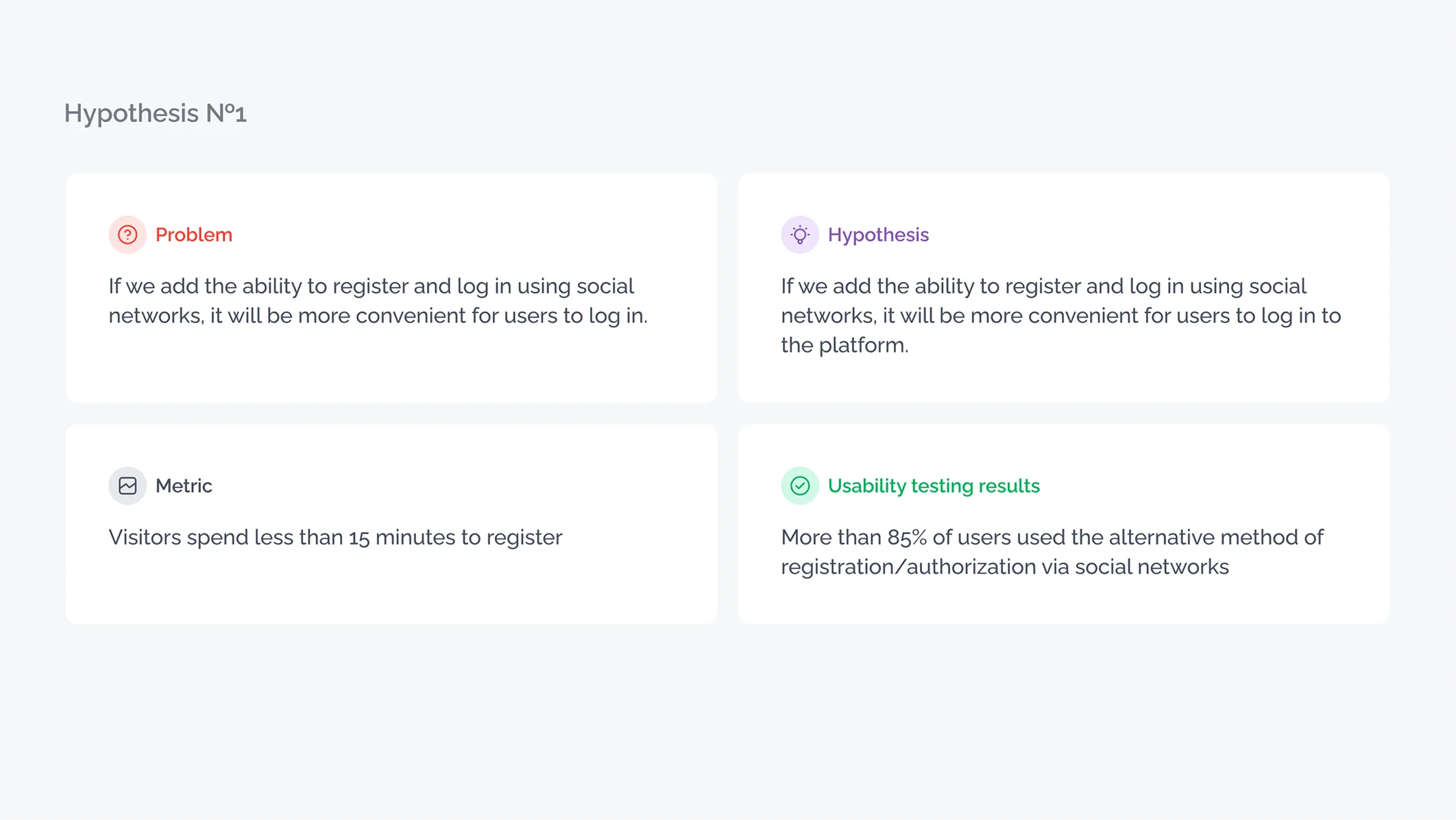
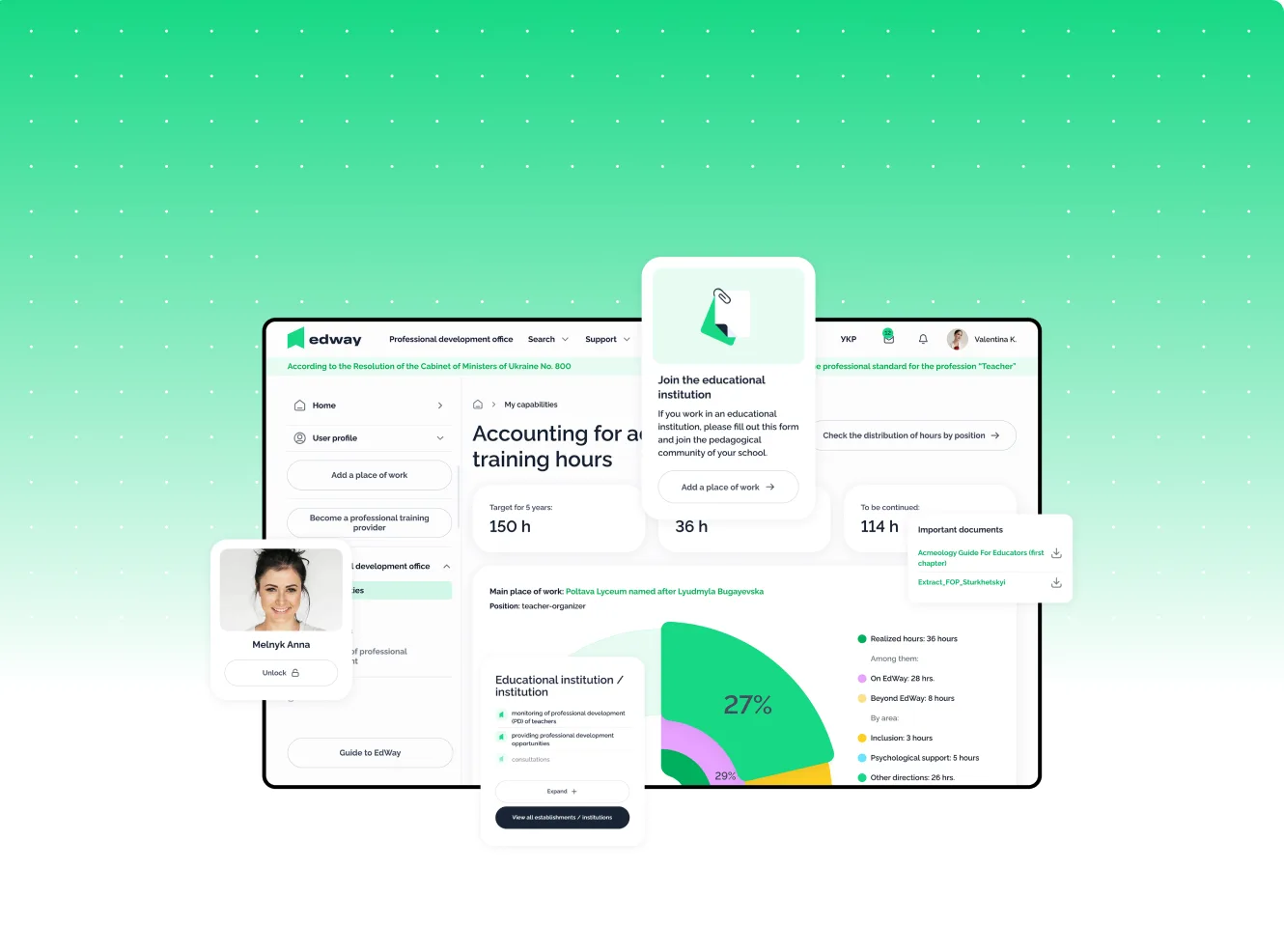
For EdWay, a national Ukrainian EdTech platform, an outdated interface and too many steps for key actions created a high load on the support team. We ran in-depth interviews and user testing, found four key user groups, then tested product hypotheses with interactive prototypes: seven of eight were confirmed and implemented.
{{case}}
What a good UX audit report includes
Ask for a sample report before you pay. A list of 80 problems without priorities is hard to act on. At Cosmos Studio, the report contains:
- A one-page summary with the main problems and the metric they hit.
- A funnel baseline: where users drop off today.
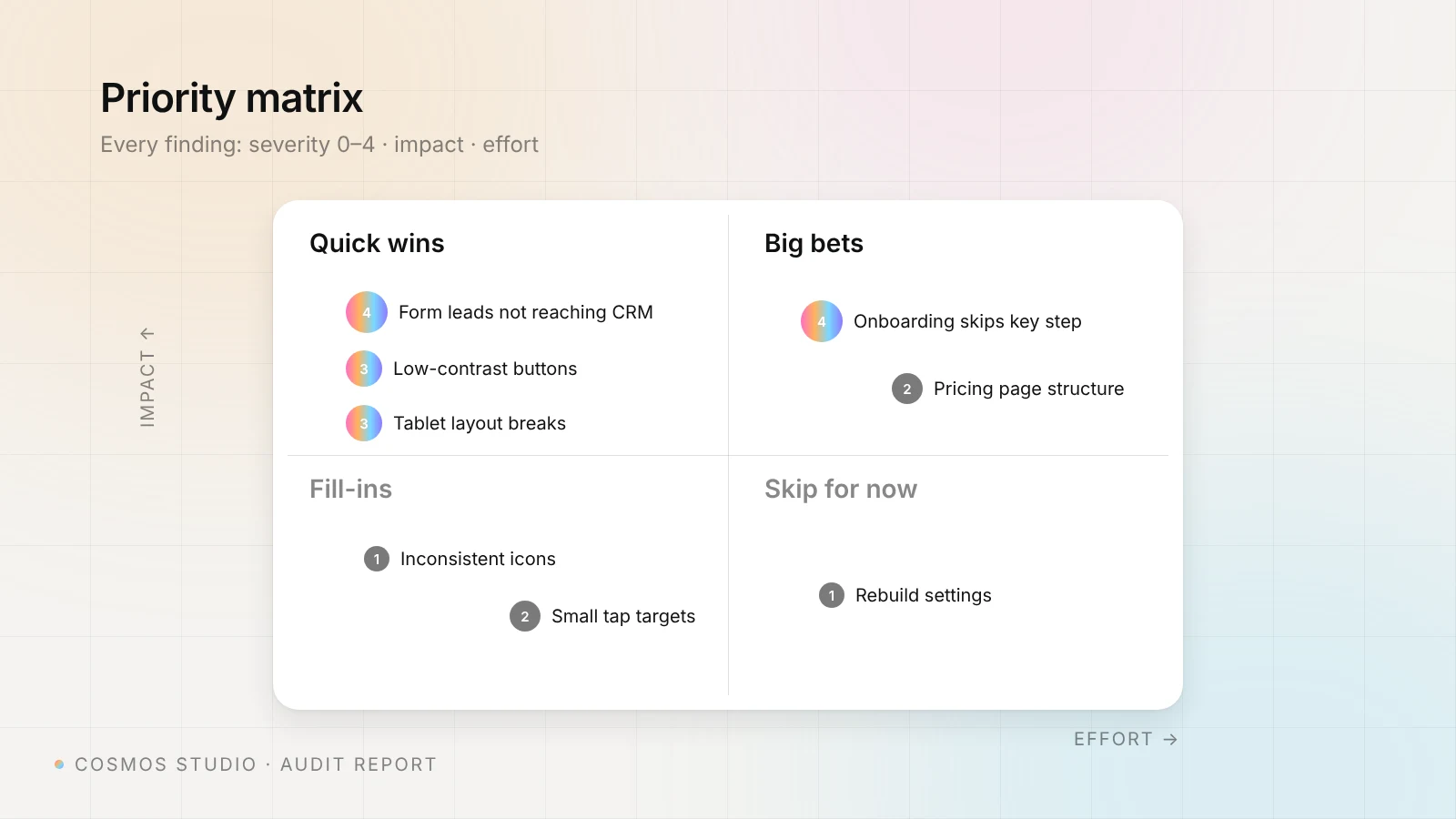
- Findings by flow on annotated screens, each with a severity rating. We use the 0–4 scale Jakob Nielsen proposed, from 0 (not a usability problem) to 4 (a usability catastrophe that must be fixed before release).
- A priority matrix of impact against effort.
- A roadmap in three layers: quick wins for this sprint, structural changes for the next releases and strategic changes for the next product cycle.
- Redesign concepts for the key screens.
- An A/B test and tracking plan, so you can check that fixes worked.
We end every audit with a workshop where we walk your team through the findings and agree which concepts to test on the live product. We also record a video walkthrough of the report, so people who missed the call, or join the team later, can watch it.
What to prepare before a UX audit
The two most common mistakes we see: clients don't know what they will get at the end, and the audit stalls while we wait for access. Settle both on the first call. This checklist saves most of the delay:
- Sign the NDA first. We sign it before we get any access.
- Give access to analytics (Google Analytics or similar), heatmaps and recordings if you have them.
- Give access to the CRM or a test inbox, so we can check that form leads arrive.
- Create test accounts for each user role, or admin access to a staging copy.
- Name 2–3 key flows and the metric you want to move: sign-ups, trial-to-paid, leads, retention.
- Export recent support tickets or ask support for the top 10 questions.
- Say who on your side can answer questions during the audit.
- Agree on the format of the result: report, call, workshop, estimate for fixes.
What happens after the audit
An audit is a diagnosis. After it, we discuss the findings with the client, split the fixes into stages and estimate each stage. Your team can implement them, or we can design and build them in React, Next.js, Webflow or WordPress. We did this kind of work for the EdCamp website, where we redesigned an education NGO's site to make a large volume of content clear and easy to use. When the fixes are live, we re-check the same flows and compare the numbers with the baseline from the report, so you see what worked and what still needs attention.
Budget for the fixes too. Design Studio UIUX gives typical ranges: quick wins $0–1,000, improvements $3,000–12,000, a structural redesign $15,000–50,000 and more. The estimate after a good audit tells you which of these you need.
How often should you run a UX audit?
I think every product needs an audit regularly: once a quarter, every six months or at least once a year. Merge suggests a brief audit every 12–18 months.
The value is unbiased data. Your team sees the product every day, so it stops noticing friction. An outside audit gives you a fresh look, checked against analytics and customer feedback, and a clear list of what to fix next.
AI tool, freelancer or studio?
An AI audit tool for $9–30 a month is good for a quick scan of contrast, broken links and obvious layout problems. A freelancer's heuristic review for $500–2,000 suits a small site with one main flow. A studio audit makes sense when the product has several roles or flows, when you need analytics, CRM and user input in one picture, or when you want the same team to estimate and build the fixes.
If you are not sure which one you need, send us the product link and the metric that worries you. We'll reply with a free, non-binding estimate of a UX audit. If your product was built with Lovable, Bolt or Cursor, the audit is also the first step of our vibe code rescue service. Prices for design work after the audit are on our pricing page.
{{contact}}
UX audit services for SaaS products and websites. Senior designers find where users get stuck and rank every fix by impact. Results in 1–2 weeks.
FAQ
How much does a UX audit cost?
A UX audit costs from about $500 for a basic heuristic review by a freelancer to $10,000–25,000 for a full SaaS audit by an agency, based on prices providers publish in 2026. At Cosmos Studio, a UX audit starts from $2,000, and the final price depends on the number of flows, user roles and platforms.
How long does a UX audit take?
A focused UX audit takes from a few days for a website to 1–2 weeks for a product with several roles. Full agency audits with user testing usually take 2–4 weeks. Slow access to analytics and test accounts is the most common reason an audit takes longer.
What is the difference between a UX audit and usability testing?
A UX audit is an expert review of the product, its analytics and user feedback, which ends with a ranked list of fixes. Usability testing watches real users complete tasks. Many audits add a few interviews or tests, and providers usually price that part separately.
Does a UX audit include an accessibility check?
A good audit checks key flows against WCAG 2.2 level AA: contrast, use of color, text resizing and tap target size. On request, Cosmos Studio also audits for specific user groups, such as people with color vision deficiency. It is a design review, not a legal compliance certificate.
Why is there no fixed price for a UX audit?
Products differ in size. A five-page website and a SaaS platform with several roles, web and mobile apps need very different effort, so a fixed price would be too high for one and too low for the other. Cosmos Studio sends a free, non-binding estimate after the first call.
Do you check the product again after the fixes?
Yes. When your team or ours ships the fixes, Cosmos Studio re-checks the same flows and compares the metrics with the funnel baseline from the audit report. You see which fixes worked and what to do next.
Sources


Related articles
Start your project with Cosmos Studio™
Drop us a message, Anna reviews every brief personally and gets back to you within one business day. From there it's simple: we align on scope, sign the contract, and book your start date. Fast, clear, no back-and-forth.
