Canva video in Claude and ChatGPT, Gemini on your Mac, Tesla Reality View – AI & Design Weekly #10


Canva MCP goes GA with video in Claude and ChatGPT, Gemini uses your Mac, Tesla starts rolling out Reality View, GPT-Live-1.1 API, Inkling 2 Mini, Signal, Agon. Nov 19–24, 2026.
Key takeaways:
- Canva MCP is generally available, and Canva can now make editable, on-brand videos inside Claude and ChatGPT after you approve a production plan.
- Gemini for Mac can now use your apps in a separate background window, with app permissions, pause and approval of key actions.
- Tesla FSD v15 replaces its old driving visualization with Tesla Reality View, a live, game-like view of what the car plans to do.
- GPT-Live-1.1 is in the API at $0.05 per active minute, and a new standby mode cuts idle voice time to $0.02 per minute.
- Signal now blocks Siri AI on iOS 27 and on-device assistants such as Gemini on Android from reading its screen, and asks platforms for a simple, documented way for apps to opt out.
Twice a week I pick the AI and design news that matter to people who build products. This issue is about AI that moves into the tools you already use: Canva making videos inside Claude and ChatGPT, Gemini clicking through apps on your Mac, and a car that shows you what it plans to do in a game-like view. The design work in all of them is the same: show the plan, let people approve it, and make it easy to stop.
1. Canva MCP goes GA, with video generation inside Claude and ChatGPT
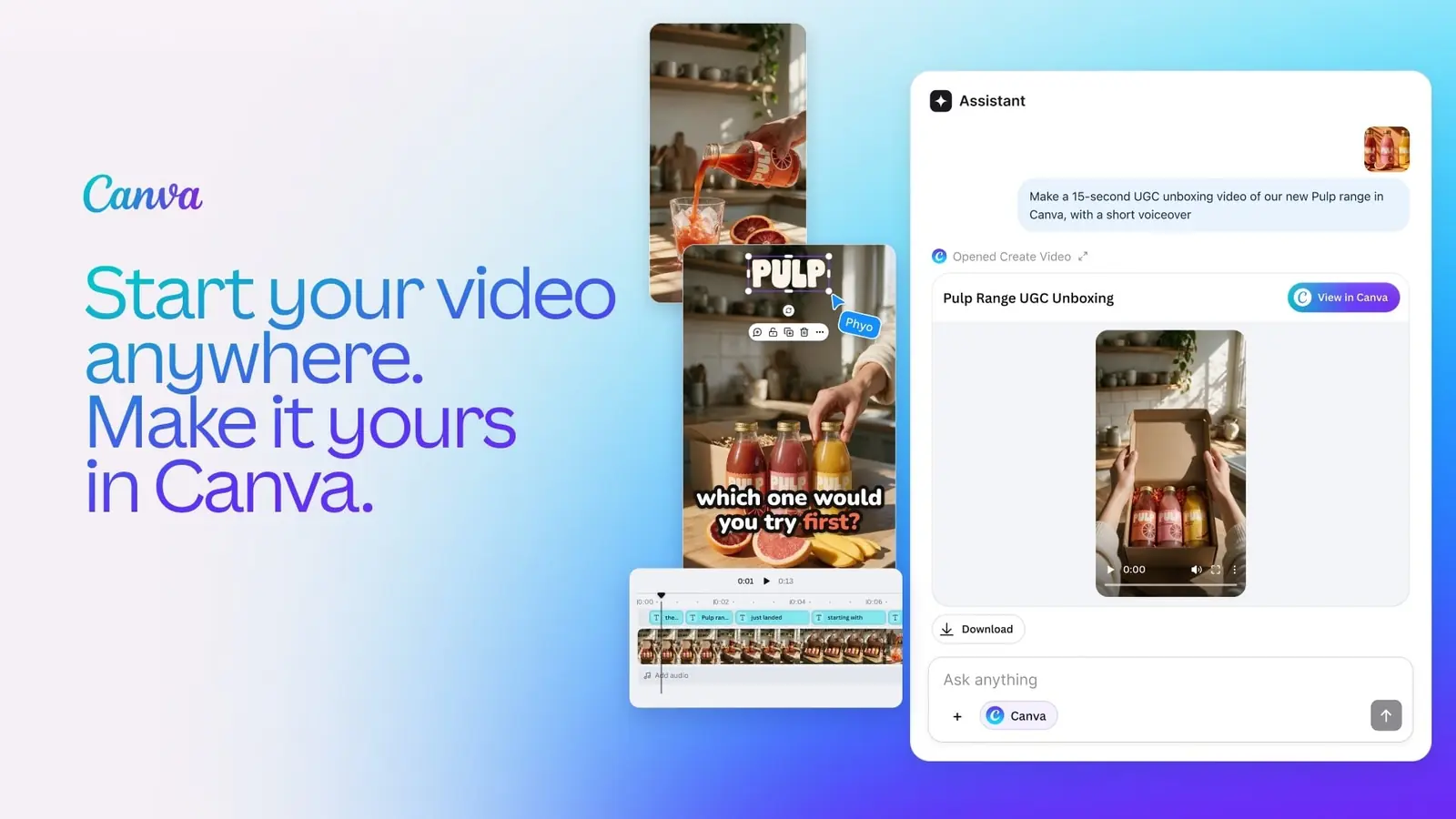
On November 23 Canva made its MCP server generally available, with no waitlist. It also added REST APIs for design generation, image generation, background removal and Magic Layers, a CLI that can create designs and run Autofill, and access to its image model Canva Craft through MCP and the API. Canva says its MCP server powers ChatGPT, Claude, Gemini and Muse, and that it got nearly 500,000 sign-ups via MCP in the last month (Canva's own figure).
The same day Canva launched video generation inside Claude and ChatGPT. You give a brief, approve a timed production plan, and get an editable, on-brand video, built with models that include Seedance 2.5. Reference binding keeps a product's shape, color and label the same across shots. You can edit text and swap images in a side panel in the chat, then open the design in Canva in one click. Video is available in select markets, and in Claude only for paid subscribers. Separately, on November 19 Canva added AI Controls for Free and Pro users: one switch hides generative AI features, another limits AI-generated content in the library.
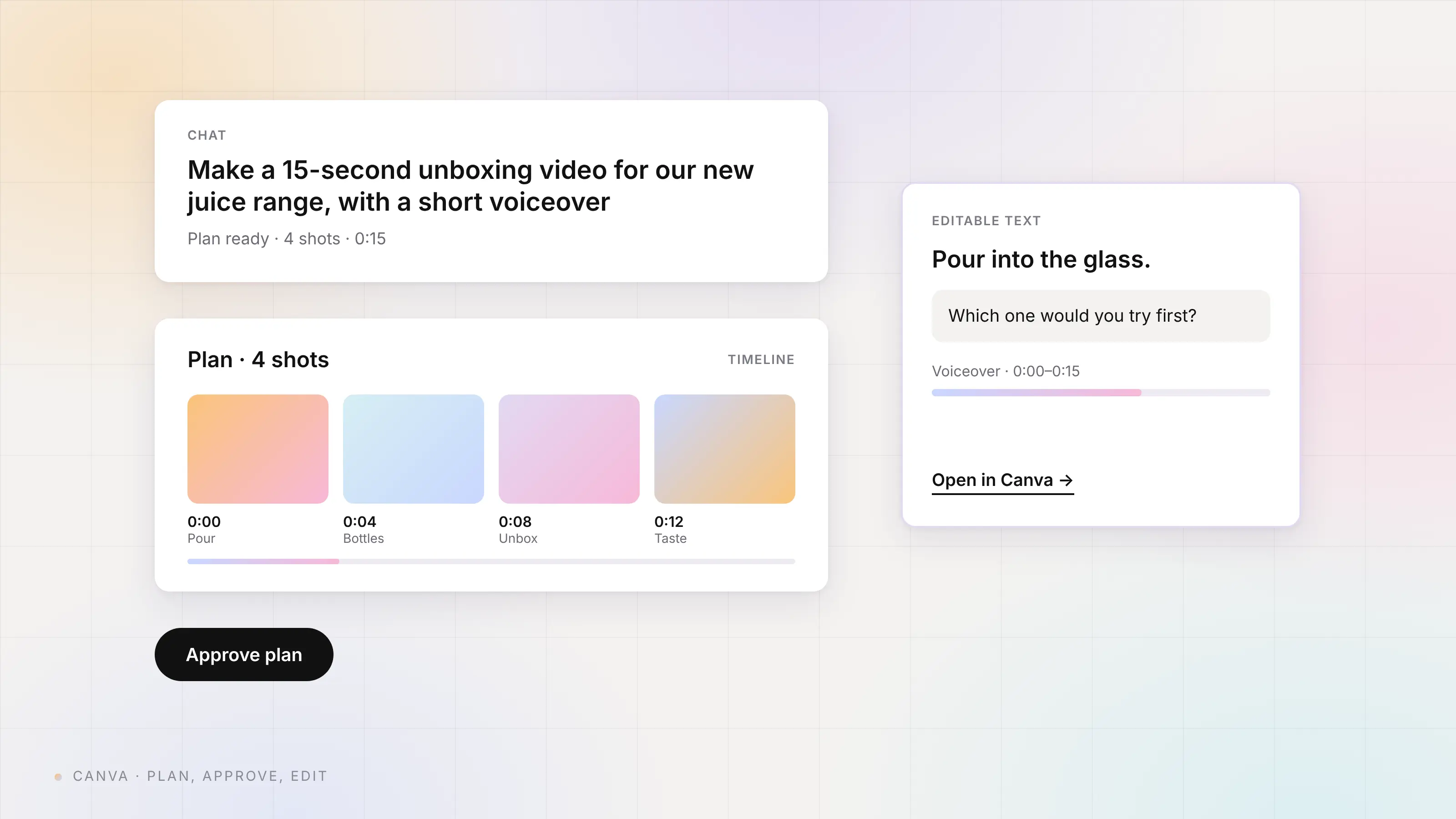
Why it matters: the "approve the plan first" step is the most important design decision here. Video is expensive to regenerate, so Canva asks for a cheap yes or no before the costly step. Any AI feature that makes slow or costly output should copy this. And the AI off switch shows that some users want less AI, not more, so give them a clear way to choose. We design these flows in our AI content production and AI agent UX work.
Illia's take: Canva is betting that people will start design work in a chat, not in Canva. If that is right, the brand rules and templates matter more than the editor, because they are what the agent reads. Teams should make sure their brand kit is clean and machine-readable before they ask an agent to use it.
Sources: Canva – MCP update; Canva – video generation; Canva – AI Controls
2. Gemini for Mac can now use your apps for you
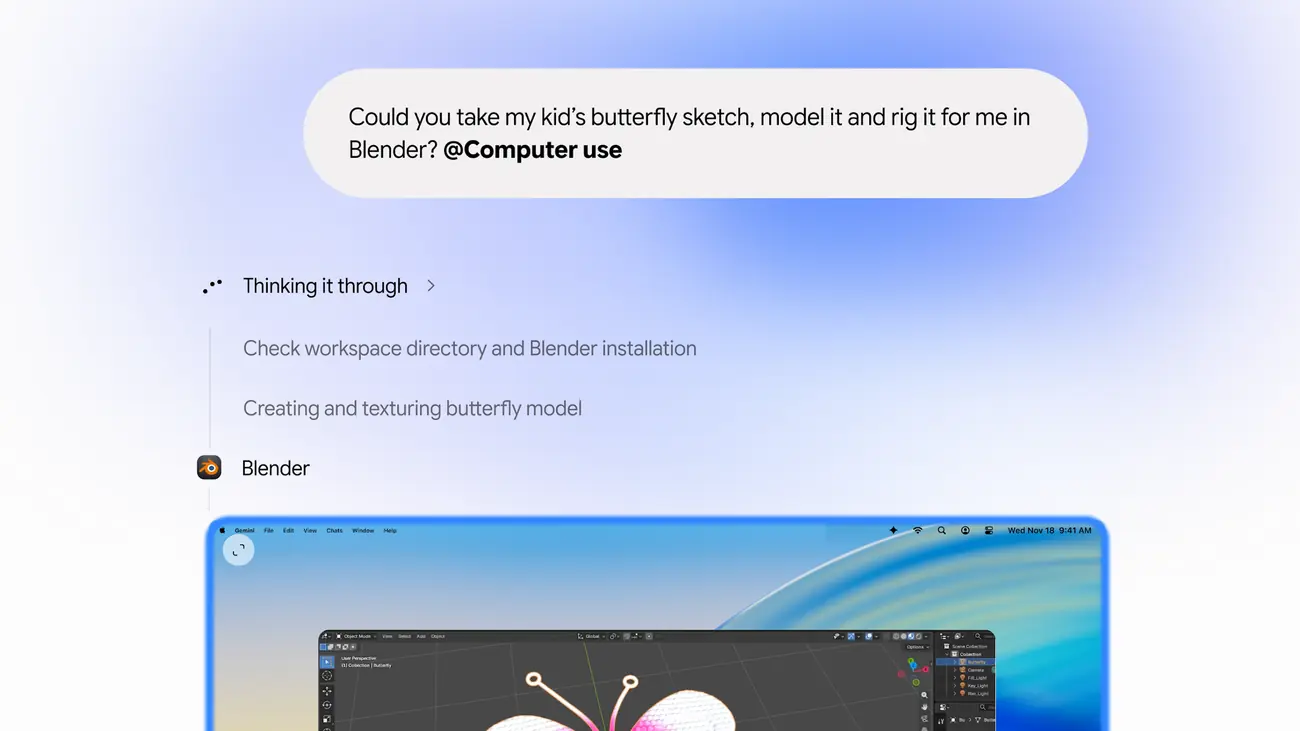
On November 19 Google started rolling out computer use in the Gemini app for Mac. Gemini works in a separate background window, with a live preview in the chat, so your own screen and cursor stay free. You choose which apps it can access, can watch each step, pause at any time, and approve key actions before they happen. Google's examples include filling shipping forms from PDFs, building a Google Slides deck from live dashboards, batch color-grading photos and setting up 3D scenes. It is rolling out in English in the U.S., on Apple Silicon Macs with macOS Sequoia 15.0 or later, for Google AI Plus, Pro and Ultra subscribers.
Why it matters: a separate window for the agent is a smart pattern. People can keep working while it runs, and they can see exactly what it touches. If your product will let an agent act on a user's behalf, design the permission screen, the live progress view and the approval step before anything else. That is the core of our AI agent UX design.
Source: Google – Gemini computer use on Mac
3. Tesla FSD v15 brings Tesla Reality View, a game-like view of the drive
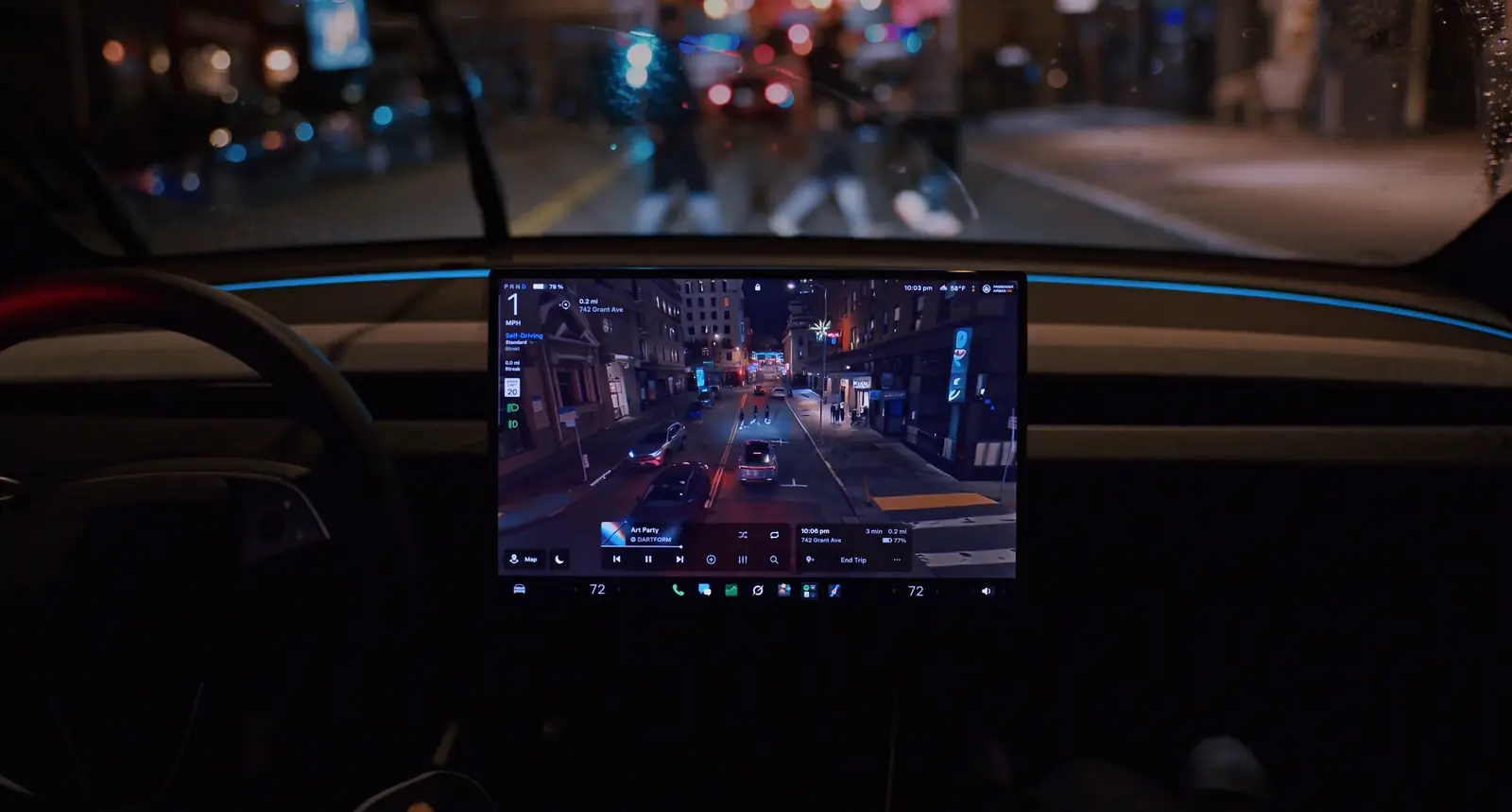
On November 21 Tesla started rolling out FSD v15 to some vehicles. Its headline feature is Tesla Reality View, a live, video-game-like render of the car's surroundings that shows what FSD plans to do next. It replaces the old separate visualization with one end-to-end view that uses less compute. According to Tesla, v15 handles safety-critical cases 25 times better, a figure its release notes tie to the critical intervention rate. The update also adds slowing for speed cameras and a Bike Rack Mode. Tesla has not said which cars get it first. Tesla's official video of Reality View is on X.
Why it matters: this is interface design for trust. A driver who can see what the system plans to do can decide faster whether to let it continue. The same applies to any AI that acts in the real world or on real data: show the next step, not only the result. We design operator views like this in our AI product design work.
Illia's take: A game camera is a bold choice for a car. It makes the plan easy to read at a glance, but a beautiful render can also make people trust the system more than they should. The best version of this pattern shows uncertainty too, not only confidence.
Sources: Tesla on X; Electrek
4. OpenAI puts GPT-Live-1.1 in the API and adds a cheaper standby mode
This week OpenAI made GPT-Live-1.1 available in the API. It is a full-duplex voice model, so it can listen while it speaks. Compared with GPT-Live-1 it transcribes more accurately, keeps a more stable voice and accent across languages, and can hand reasoning and tool use to a backend model you choose. It costs $0.05 per active minute. A new standby mode, for GPT-Live-1 and 1.1 over WebRTC, pauses the model after 5 to 60 seconds of silence while the call stays open, and costs $0.02 per minute. Speech wakes it up, though the first reply after standby can be slower.
Why it matters: standby solves a real voice UX problem: people go quiet to read or think, and the assistant should wait without costing money or ending the call. Design for those pauses. Show that the assistant is still there, and make the first reply after a pause feel natural even if it is a bit slower. We work on voice and agent flows in our AI product design projects.
Sources: OpenAI – GPT-Live-1.1; OpenAI – live conversations guide
5. Thinking Machines releases Inkling 2 Mini, an open model that runs on a Mac
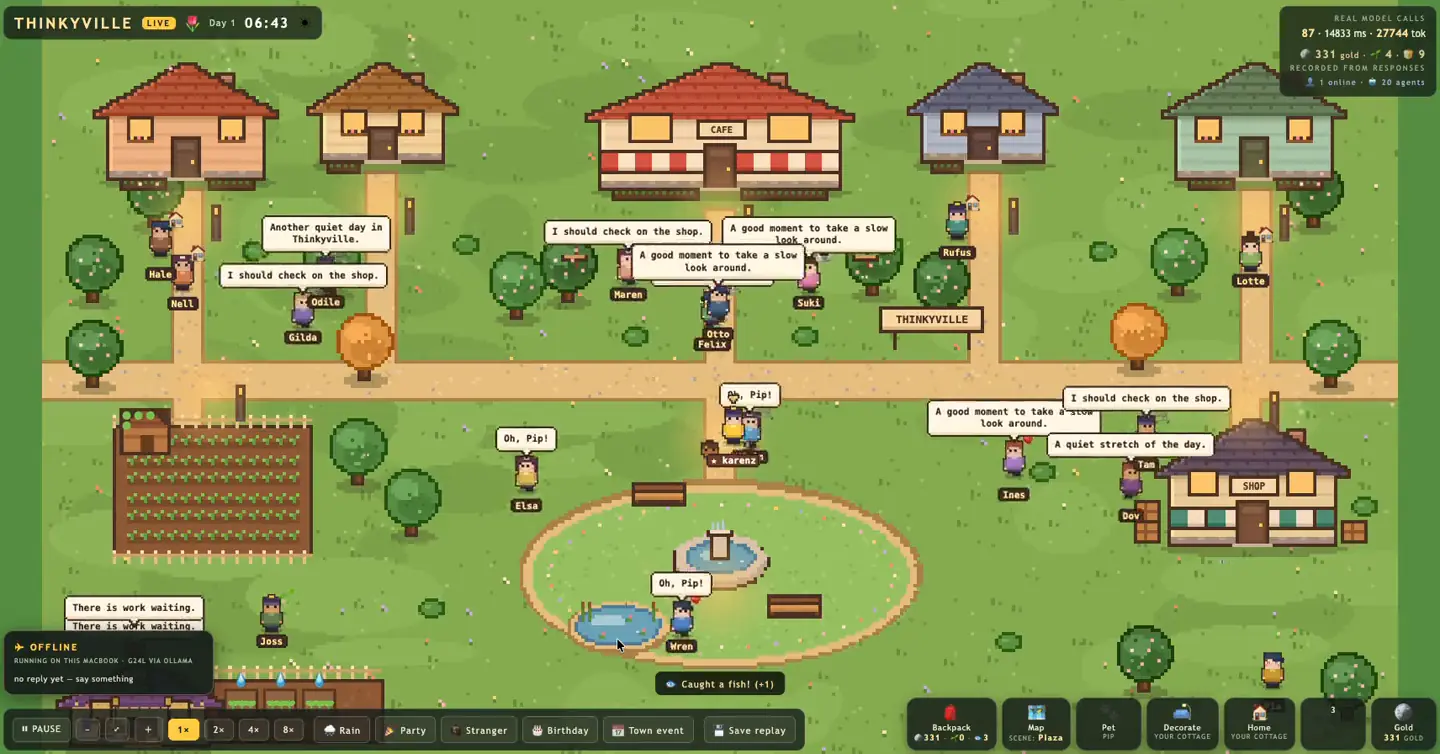
On November 20 Thinking Machines Lab released Inkling 2 Mini with open weights under Apache 2.0. It is a mixture-of-experts model with 26.4 billion total parameters and 3.4 billion active. It has 24 layers, but the middle 12 run three times for each token, which lets the model reason longer without writing its reasoning out as more tokens. Weights take about 20 GB, and it runs through Ollama on any Apple silicon Mac with at least 32 GB of RAM. The company says it leads open-weights models under 100 billion parameters on the coding benchmark DeepSWE (48.2%), and lists weaker multi-turn chat as a limit. In the Thinkyville demo, the same model runs all 20 villagers of a pixel town on a single offline MacBook.
Why it matters: a capable model that runs offline on a laptop opens product ideas that cloud models cannot serve well: private data, no internet, no per-token cost. If your users handle sensitive files, a local mode may be worth designing for. We help teams plan this in AI product design.
Sources: Thinking Machines Lab – Inkling 2 Mini; model card
6. Signal moves to block Siri AI and Gemini from reading its screen
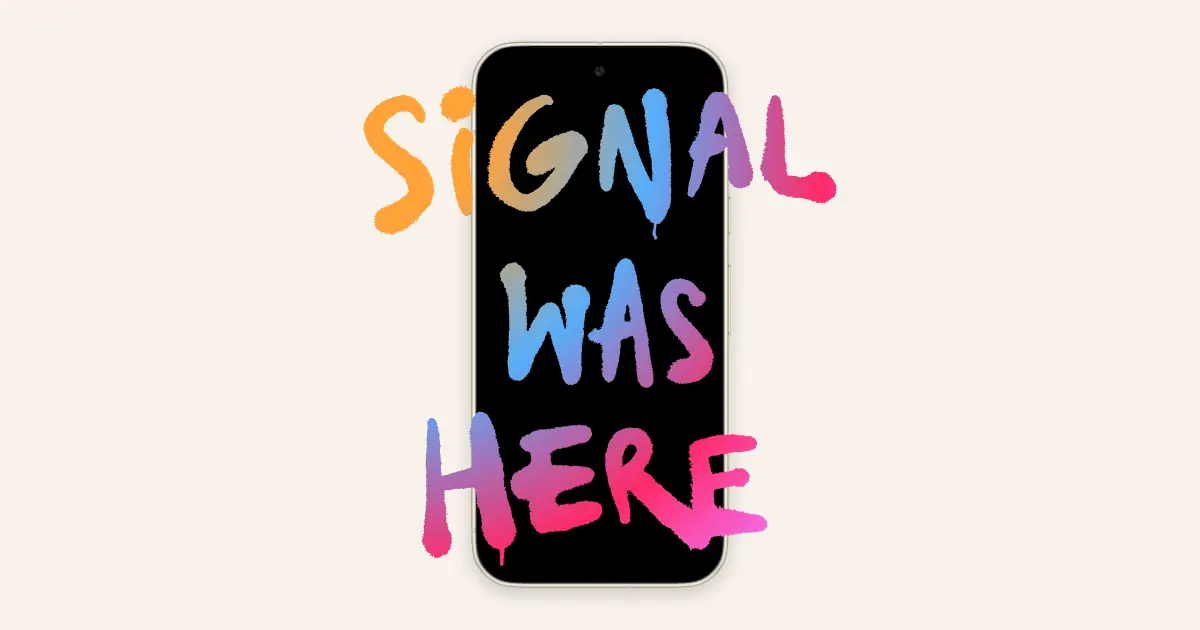
On November 20 Signal president Meredith Whittaker announced protection against system AI assistants that read what is on screen. On iPhone, Signal 8.37 or later on iOS 27 blocks Siri AI by default, with options On, Off or Off for 10 minutes. On Android, Signal 8.35.1 or later turns on Screen security the first time an AI assistant such as Gemini tries to read the screen. While it is on, screenshots and screen recordings are blocked and Signal is hidden in the app switcher. Signal says the fix is not complete, because agents could still reach data through the file system, and asks Apple, Google and Microsoft to give apps a simple, documented way to opt out.
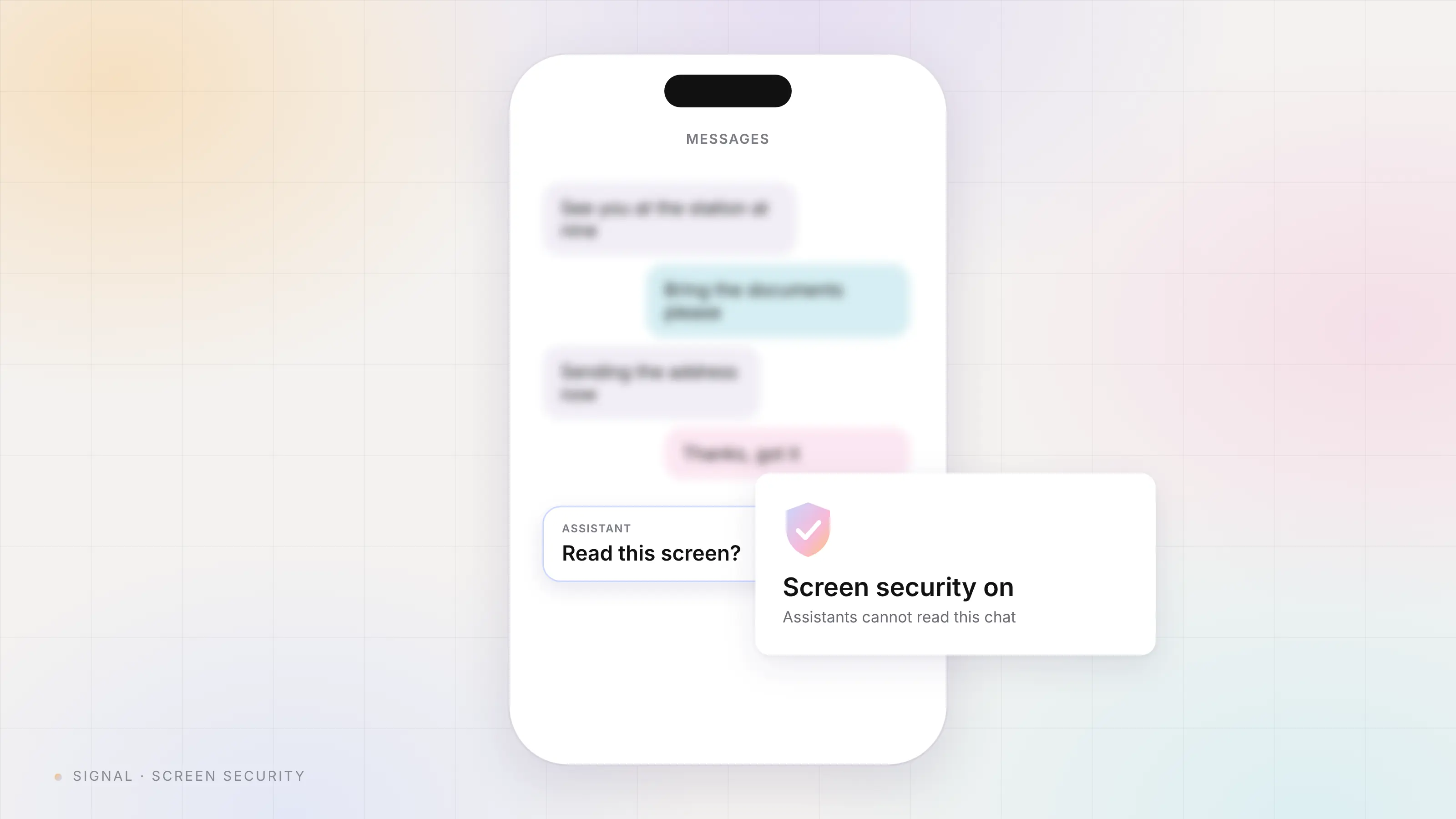
Why it matters: stories 2 and 6 are two sides of the same change. Assistants that read and use the screen are coming to every OS, and apps with sensitive data will need to decide what they show to them. If your product holds private data, add "what can an OS assistant see here?" to your design review. Our cybersecurity UX team works on exactly these trade-offs.
Sources: Signal blog; Signal support
7. Agon raises $70M to build a simulation engine for training autonomous systems
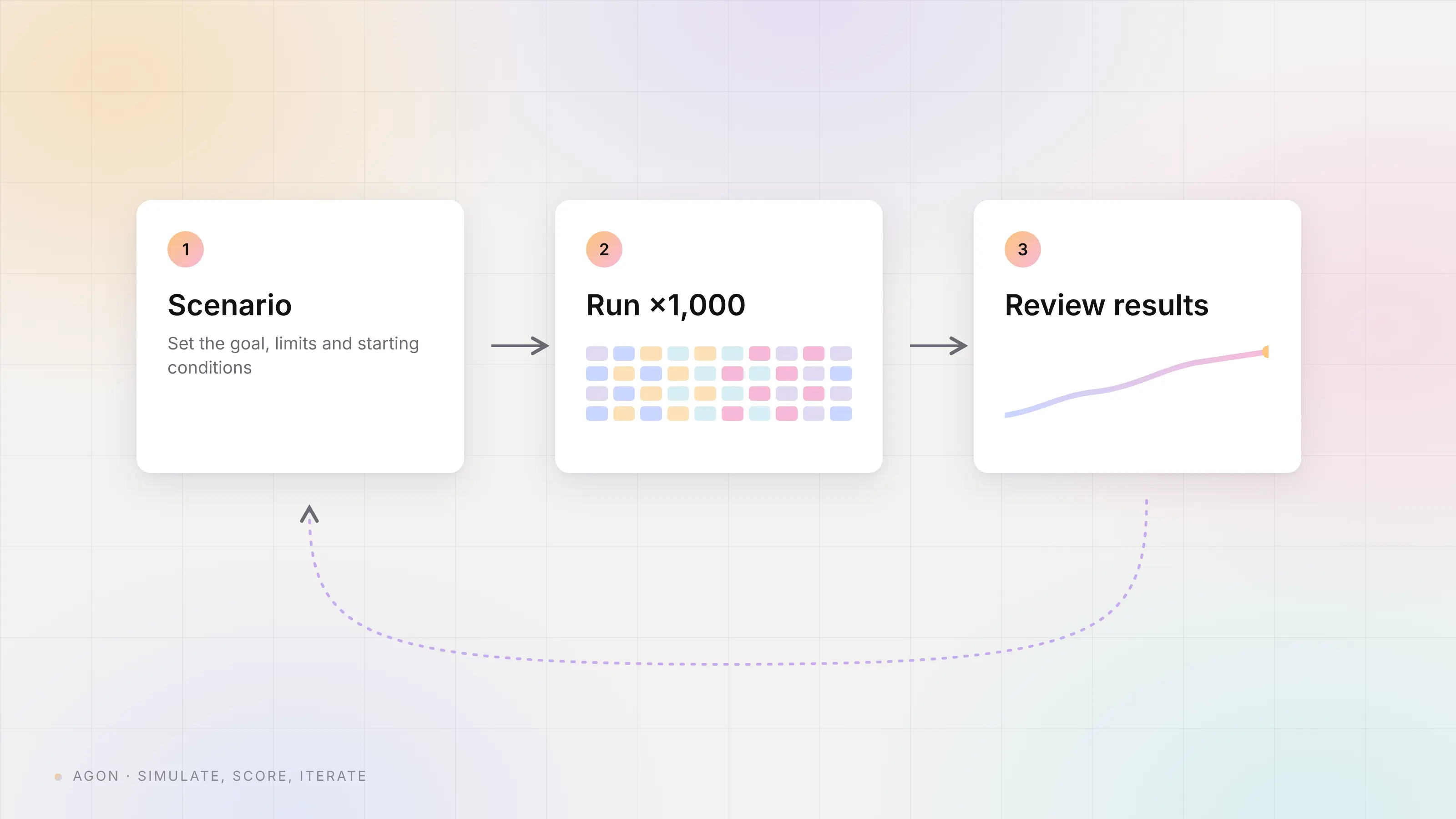
On November 23 London-based Agon announced a $70 million Series A at a $450 million valuation, bringing its total funding to $100 million after raising $30 million when it came out of stealth four months earlier. Northzone led the round, with Lakestar, XYZ, Lux Capital, Global Founders Capital and Speedinvest. The UK Sovereign AI Fund and NSSIF joined as new investors, investing together for the first time. Agon builds the Agon Engine, a game-like simulation where autonomous systems are trained and tested against virtual opponents. CEO Tristam Constant previously worked at Applied Intuition and Anduril, and Unity founder David Helgason is chairman. The company has no public product yet, and Resilience Media reports the first products are promised by the end of the year.
Why it matters: a game-engine founder chairing a defense AI startup shows how close game tech and defense software have become. Simulation tools still need people to set up scenarios, read results and trust what they see, and those are interface problems. We design these screens in our defense software UX work.
Sources: Resilience Media; Agon press release (Business Wire)
Also this week
- NVIDIA's board unanimously reinstated Jensen Huang as president, CEO and board director on November 23, ten days after he resigned; CFO Colette Kress had served as interim CEO. CNBC reported that the shares closed up 31%. NVIDIA
- Figma agent is now generally available in FigJam and Figma Slides on all paid plans, with connectors such as Notion, Google Drive, Hex and Slack; it can turn a messy board into a spec and start a deck from it. Figma
- OpenAI chief scientist Jakub Pachocki proposed perplexity as a shared metric for AI progress, published OpenAI's own numbers measured on its internal codebase, and suggested labs agree on "common limits" they will not cross until monitoring improves. OpenAI
At Cosmos Studio we design AI products, agent flows and operator consoles for SaaS and defense-tech teams. See our work, and if your AI is about to start working inside other tools, let's talk about the approve step.
We design AI agents people trust: approvals, task progress, logs, permissions and error recovery. Senior UX/UI and React front-end for agentic products.
FAQ
What did Canva announce for Claude and ChatGPT?
On November 23 Canva made its MCP server generally available, added REST APIs for design and image generation, and launched video generation inside Claude and ChatGPT. You approve a timed production plan, then get an editable video you can open in Canva. Video is in select markets, and in Claude it is for paid subscribers.
Who can use computer use in the Gemini app for Mac?
It is rolling out in English in the U.S. You need an Apple Silicon Mac on macOS Sequoia 15.0 or later, a personal Google account for people 18+, and a Google AI Plus, Pro or Ultra plan.
How do we design an AI feature that acts in other apps without losing user trust?
Give the agent its own visible workspace, let people choose which apps it can touch, show each step, and ask for approval before anything that sends, pays or deletes. That is the pattern Google and Canva used this week. We design these flows in AI agent UX design projects; book a call to discuss yours.
Sources


Related articles
Start your project with Cosmos Studio™
Drop us a message, Anna reviews every brief personally and gets back to you within one business day. From there it's simple: we align on scope, sign the contract, and book your start date. Fast, clear, no back-and-forth.
